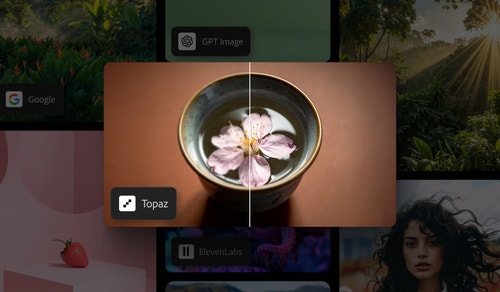
Upscale videos without interrupting your workflow.
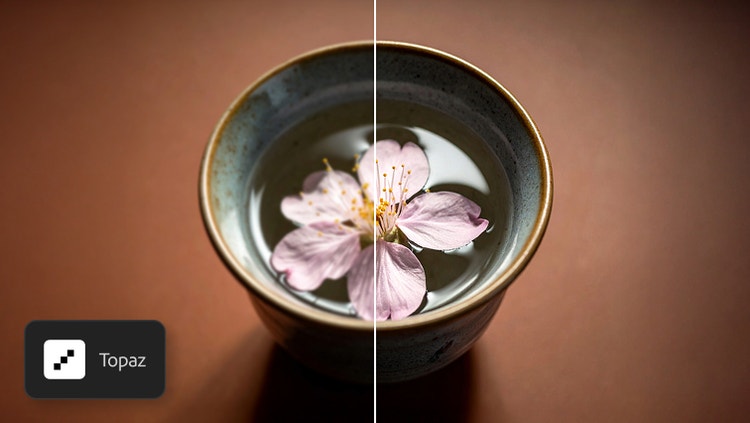
Topaz Astra is an AI-powered video upscaler that helps you turn low-resolution footage into sharper, higher-quality video. Use it in Firefly Boards to improve resolution, preserve fine textures, and enhance overall clarity, whether you’re restoring old clips or refining new ones.
Enhance sharpness, texture, and motion with Topaz video AI.
Go beyond basic upscaling. With Topaz Astra, you can restore lost details, strengthen definition, and maintain natural movement for clearer, more polished visuals. Topaz Astra preserves fine features like facial details and architectural lines and increases clarity for everything from landscapes to close-up shots.
Choose your settings to get the look you want.
Pick the enhancement mode that matches your project’s style. Precise mode prioritizes faithful restoration, while Creative mode generates more stylized results. You can also adjust output quality, choosing between faster processing and maximum detail. And when exporting, you can select either 1080p or 4K.
Elevate any project with Topaz Astra creative video upscaler.
Topaz Astra is useful for any video creator building narrative content, experimenting with artistic ideas, or preparing visual materials for teaching or presentations. And with Topaz Astra fully integrated in Firefly Boards, you can access it with your Adobe login and pair upscaling with other Firefly features like Generate Video. It’s perfect for:
Filmmakers: Make every shot compelling with crisp details
Content creators: Create scroll-stopping short-form videos, social content, and conceptual work
Marketing teams: Enhance product demos, campaigns, and brand visuals
Educators and researchers: Improve clarity in simulations, demonstrations, and visual explanations
style
No spacing
Create with multiple top AI models, all in one place, in Firefly.
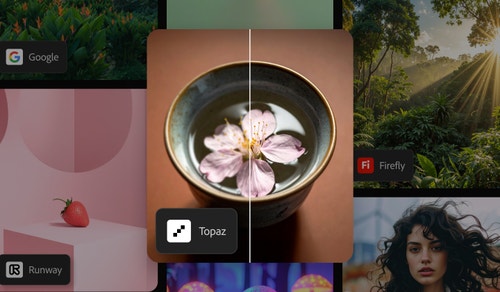
Choose top AI models from Adobe, Google, OpenAI, Runway, and more to create your best content ever.
Add video clips. Import your videos using the Import option or generate videos with text prompts via the toolbar. You can also browse Adobe Stock to add content.
Select and upscale your video. Click on the desired video and select the Upscale with Topaz Astra icon in the Edit toolbar.
Adjust Upscale Video settings. Choose between Precise or Creative enhancement modes, optimize for Speed or Quality, and select either 1080p or 4K resolution.
Generate and refine. Click Generate to produce your upscaled video. Refine and edit the output as needed.
Download your clip. Save your upscaled video directly to your device.
Get 4,000 monthly generative credits to generate up to 800 images with partner models or up to 80 five-second videos, plus exclusive business features.
Get 10,000 monthly generative credits to generate up to 2,000 images with partner models or up to 200 five-second videos, plus exclusive business features.
Get 50,000 monthly generative creditsto generate up to 10,000 images with partner models or up to 1,000 five-second videos, plus exclusive business features.
Topaz Astra is an AI-powered creative video upscaling tool integrated in Firefly Boards. It enhances video quality by restoring lost textures, preserving fine details, and upscaling footage to 1080p or 4K resolution for vivid, visually appealing results.
Yes, Topaz Astra is fully integrated in Firefly Boards, allowing users to access it seamlessly with a single Adobe login, without needing a separate subscription.
Topaz Astra supports a wide range of standard video formats, ensuring compatibility with various creative projects.
The processing time varies depending on video length and selected settings, but Topaz Astra is optimized for efficiency to save time for creators.
Currently, Topaz Astra focuses on individual video upscaling to ensure precision and quality in each project.
Topaz Astra is included as part of Firefly Boards, accessible without additional subscriptions through Adobe’s integrated platform.
As a multi-model hub, Firefly provides access to Topaz Astra creative video upscaler, allowing users to combine outputs with other leading partner models directly inside Firefly. Topaz Astra models are available in Firefly Boards under the Upscale tool.
Share this article
title
Topaz Astra Video Upscaling in Firefly Boards | Adobe
ContentType
Article
tags
Firefly, Partner models, Gemini 2.5 Flash Image, Photoshop, Generative Fill
description
Learn how to use Topaz Astra for advanced video upscaling in Adobe Firefly Boards. Enhance video quality with AI-powered tools for sharper, high-resolution results
cardImage
cardImageAltText
Adobe Firefly
The next evolution of creative AI is here for all your ideas, with image, video, audio, and vector tools.
You can control how Adobe websites use cookies and similar technologies by making choices below. But note that if you disable cookies and similar technologies entirely, Adobe websites may not function properly.
Cookies are small text files stored by your web browser when you use websites. There are also other technologies that can be used for similar purposes like HTML5 Local Storage and local shared objects, web beacons, and embedded scripts. These technologies help us do things like remembering you and your preferences when you return to our sites, measure how you use the website, conduct market research, and gather information about the ads you see and interact with.
You can make choices in the menu below about what cookies and other technologies you want us to use on Adobe sites when you visit them from this browser. You can always change those choices later by clicking on the Cookie Preferences link at the bottom of the page.
If enabled:
We can improve your experience by tailoring the site and the content to things we think might be of interest
We can better keep track of your preferences — like what language you prefer to use
We will better understand your likely interests so we can provide you more relevant Adobe ads and content on non-Adobe websites and in non-Adobe apps
It will help us improve the performance of our website and those of our partners who use the Adobe Experience Cloud
If disabled:
We won’t be able to remember you from session to session so the experience may not be tailored to your interests
You’ll still have access to the content of the site but certain features that depend on cookies may not function
You’ll still see ads, they just may not be as relevant to you
General information
You can control how Adobe websites use cookies and similar technologies by making choices below. But note that if you disable cookies and similar technologies entirely, Adobe websites may not function properly.
Cookies are small text files stored by your web browser when you use websites. There are also other technologies that can be used for similar purposes like HTML5 Local Storage, web beacons, and embedded scripts. These technologies help us do things like remembering you and your preferences when you return to our sites, measure how you use the website, conduct market research, and gather information about the ads you see and interact with.
You can make choices in the menu below about what cookies and other technologies you want us to use on Adobe sites when you visit them from this browser. You can always change those choices later by clicking on the Cookie Preferences link at the bottom of the page.
If enabled:
We can improve your experience by tailoring the site and the content to things we think might be of interest
We can better keep track of your preferences — like what language you prefer to use
We will better understand your likely interests so we can provide you more relevant Adobe ads and content on non-Adobe websites and in non-Adobe apps
It will help us improve the performance of our website and those of our partners who use the Adobe Experience Cloud
If disabled:
We won’t be able to remember you from session to session so the experience may not be tailored to your interests
We’ll still count your use of our site and services
You’ll still have access to the content of the site but certain features that depend on cookies may not function
You’ll still see ads, they just may not be as relevant to you
Operate the site and core servicesOperate site and measure engagement
Always active
These cookies are required, and they are used to enable the site and related services core functionality. Without them the site could not operate, so they cannot be disabled.
These cookies enable the site and related services’ core functionality and collect statistics about user engagement, such as counting active use to help us understand trends. These cookies cannot be disabled.
Measure performance
These cookies are used to analyze site usage to measure and improve performance. Without them Adobe cannot know what content is most valued and how often unique visitors return to the site, making it hard to improve information we offer to you.
These cookies are used to analyze site usage to measure and improve performance. Without them Adobe cannot know what content is most valued, making it hard to improve information we offer to you.
Extend functionality
These cookies are used to enhance the functionality of Adobe sites such as remembering your settings and preferences to deliver a personalized experience; for example, your username, your repeated visits, preferred language, your country, or any other saved preference.
Personalize advertising
These cookies are used to enable Adobe and our partners to serve ads more relevant to your interests. Without them you will still see ads, but they might not be as relevant to you.