Create state-of-the-art videos with Runway Gen-4.5 in Firefly Generate Video, Image to Video, and Firefly Boards, and edit videos with Runway Aleph 2.0.
Powered by Runway Gen-4.5, the Runway AI video generator handles a wide range of aesthetics, from photorealistic and cinematic to stylized animation, while maintaining a coherent visual language throughout generations. Runway also delivers precise prompt adherence. Objects move with realistic weight, momentum, and force. Liquids flow with proper dynamics. Surface details render at great fidelity, and fine details like hair strands remain coherent across motion and time.
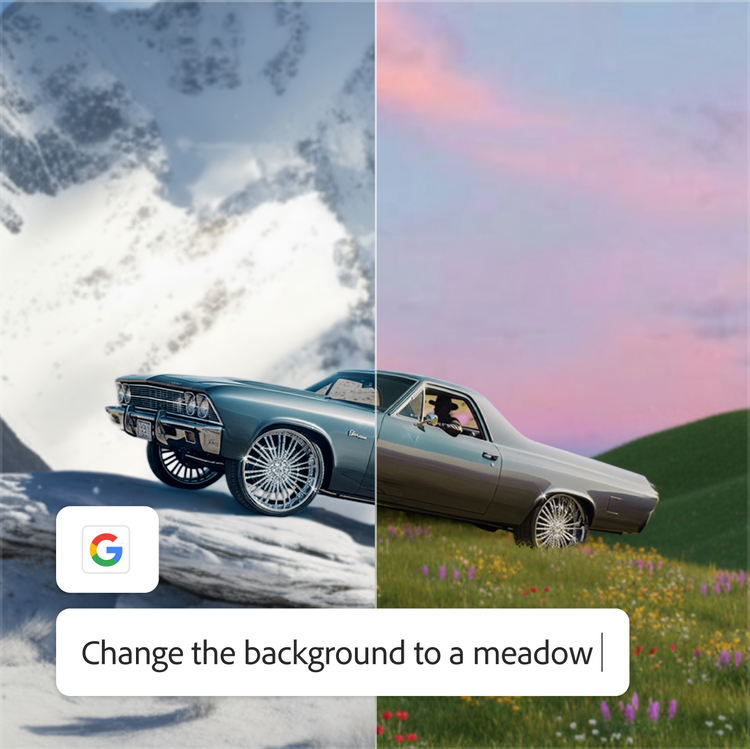
Edit a keyframe and apply changes throughout your video.
Update existing video content by editing a single keyframe to replace an object or character, change the style, or adjust the camera angle, and let it propagate throughout the video. With Runway Aleph 2.0, edits are easy and you can generate multiple variations from a single video.
Create whatever you can imagine with Runway in Firefly Boards.
Whether you’re a marketing professional, filmmaker, or content creator, the Runway AI video generator in Firefly delivers the quality and control your projects demand. Runway Gen-4.5 and Aleph 2.0 excel across diverse creative applications:
High-end marketing and advertising: Create product launches and promotional campaigns where realism and aesthetics are crucial. With realistic lighting and motion, like fabric draping and liquid pouring, you can generate dynamic product demos and edit the background or camera angle.
Entertainment and creative storytelling: Produce music videos and short films where dynamic camera choreography and atmospheric control are essential for visual impact.
Social media and influencer content: Edit your clips with a quick object swap, change the color or style of your clothes, or switch your background — all optimized for TikTok, Instagram, and YouTube formats.
style
No spacing
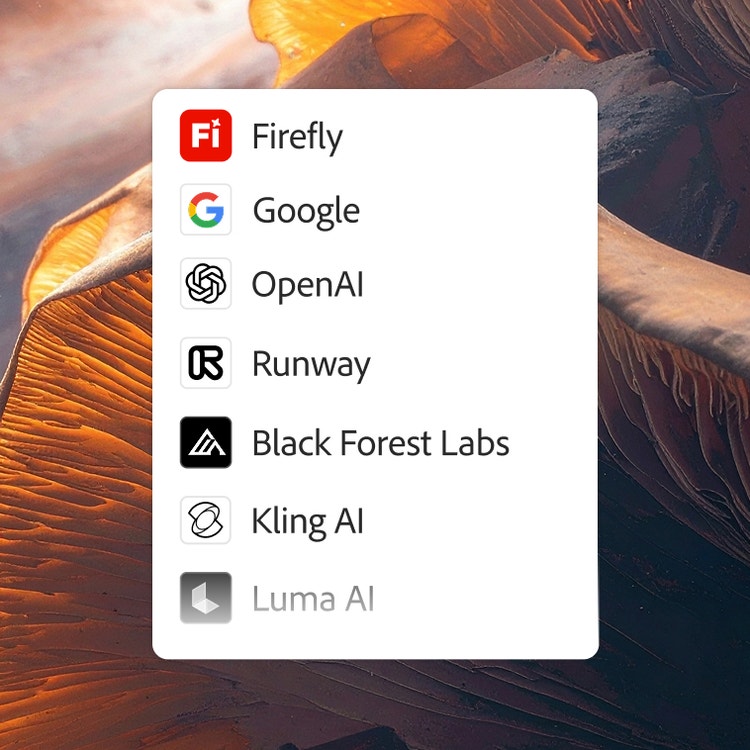
Create with multiple top AI models, all in one place, in Firefly.
Choose top AI models from Adobe, Google, OpenAI, Runway, and more to create your best content ever.
You can use Adobe Firefly as a multi-model hub for all your creative AI needs. Firefly integrates the Runway Gen-4.5 model directly into its video generation tools, including Generate Video, Image to Video, and Firefly Boards. This integration allows creators to access state-of-the-art Runway AI video generation capabilities through their existing Adobe account with single login convenience. The Runway 4.5 model brings advanced motion quality and prompt adherence to the Firefly creative ecosystem. Runway Aleph 2.0 adds a new layer of control with the ability to make precise edits, such as editing a keyframe and letting it apply changes throughout a video, replacing a background or object, or even generating new camera angles.
Access the Runway AI video generator by opening Adobe Firefly and navigating to Generate Video, Image to Video, or Firefly Boards. Once there, locate the Model dropdown menu and select Runway Gen-4.5. To edit videos, navigate to the Edit tab where you can enter your prompt for general edits by selecting Runway, or edit by keyframe.
Using the Runway AI video generator in Firefly offers several key benefits, including access to state-of-the-art motion quality with precise prompt adherence and exceptional visual fidelity. The integration provides Single Sign-On convenience, Content Credentials for authenticity, and Adobe’s “Do not train” policy to protect your content. Your generated videos seamlessly connect with Adobe Premiere, Adobe Express, and other Adobe apps for further editing, and your generations will automatically save to your Creative Cloud history.
Share this article
title
Runway 4.5 Video Generator – Create Stunning Videos in Firefly
ContentType
Article
tags
Firefly, Partner models, Gemini 2.5 Flash Image, Photoshop, Generative Fill
description
Generate high-quality AI videos in Firefly with Runway 4.5, easy-to-use video generator for stunning content creation.
cardImage
cardImageAltText
Adobe Firefly
The next evolution of creative AI is here for all your ideas, with image, video, audio, and vector tools.
You can control how Adobe websites use cookies and similar technologies by making choices below. But note that if you disable cookies and similar technologies entirely, Adobe websites may not function properly.
Cookies are small text files stored by your web browser when you use websites. There are also other technologies that can be used for similar purposes like HTML5 Local Storage and local shared objects, web beacons, and embedded scripts. These technologies help us do things like remembering you and your preferences when you return to our sites, measure how you use the website, conduct market research, and gather information about the ads you see and interact with.
You can make choices in the menu below about what cookies and other technologies you want us to use on Adobe sites when you visit them from this browser. You can always change those choices later by clicking on the Cookie Preferences link at the bottom of the page.
If enabled:
We can improve your experience by tailoring the site and the content to things we think might be of interest
We can better keep track of your preferences — like what language you prefer to use
We will better understand your likely interests so we can provide you more relevant Adobe ads and content on non-Adobe websites and in non-Adobe apps
It will help us improve the performance of our website and those of our partners who use the Adobe Experience Cloud
If disabled:
We won’t be able to remember you from session to session so the experience may not be tailored to your interests
You’ll still have access to the content of the site but certain features that depend on cookies may not function
You’ll still see ads, they just may not be as relevant to you
General information
You can control how Adobe websites use cookies and similar technologies by making choices below. But note that if you disable cookies and similar technologies entirely, Adobe websites may not function properly.
Cookies are small text files stored by your web browser when you use websites. There are also other technologies that can be used for similar purposes like HTML5 Local Storage, web beacons, and embedded scripts. These technologies help us do things like remembering you and your preferences when you return to our sites, measure how you use the website, conduct market research, and gather information about the ads you see and interact with.
You can make choices in the menu below about what cookies and other technologies you want us to use on Adobe sites when you visit them from this browser. You can always change those choices later by clicking on the Cookie Preferences link at the bottom of the page.
If enabled:
We can improve your experience by tailoring the site and the content to things we think might be of interest
We can better keep track of your preferences — like what language you prefer to use
We will better understand your likely interests so we can provide you more relevant Adobe ads and content on non-Adobe websites and in non-Adobe apps
It will help us improve the performance of our website and those of our partners who use the Adobe Experience Cloud
If disabled:
We won’t be able to remember you from session to session so the experience may not be tailored to your interests
We’ll still count your use of our site and services
You’ll still have access to the content of the site but certain features that depend on cookies may not function
You’ll still see ads, they just may not be as relevant to you
Operate the site and core servicesOperate site and measure engagement
Always active
These cookies are required, and they are used to enable the site and related services core functionality. Without them the site could not operate, so they cannot be disabled.
These cookies enable the site and related services’ core functionality and collect statistics about user engagement, such as counting active use to help us understand trends. These cookies cannot be disabled.
Measure performance
These cookies are used to analyze site usage to measure and improve performance. Without them Adobe cannot know what content is most valued and how often unique visitors return to the site, making it hard to improve information we offer to you.
These cookies are used to analyze site usage to measure and improve performance. Without them Adobe cannot know what content is most valued, making it hard to improve information we offer to you.
Extend functionality
These cookies are used to enhance the functionality of Adobe sites such as remembering your settings and preferences to deliver a personalized experience; for example, your username, your repeated visits, preferred language, your country, or any other saved preference.
Personalize advertising
These cookies are used to enable Adobe and our partners to serve ads more relevant to your interests. Without them you will still see ads, but they might not be as relevant to you.