



Free loyalty card design maker.
Keep customers coming back with on-brand loyalty cards made right in Adobe Express. No experience required.
* Available for print in US, UK, Australia, and Canada
Start making a card by searching for an event
Create custom cards fast with Adobe Express. Easy to use, endlessly customizable, and perfect for any occasion.


 Free to use
Or start with these popular templates


1. Pick a loyalty card template.
Find the ideal loyalty card template in a style that matches your taste, whether it’s minimalist, retro, or modern. Choose from a diverse collection for friends, family, or colleagues.
2. Customize it.
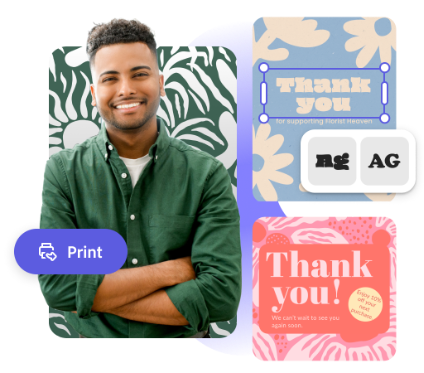
Personalize your loyalty card by clicking a text box to add your message or select new fonts. You can also upload photos and change the color theme. Use the full Adobe Express editor to customize with graphics, animations, borders, and more.
3. Order your printed cards.
Download your new loyalty card as a PDF, JPG, or PNG file to share anywhere. Or, if you’re creating your card using the US, UK, Australia, or Canada desktop or mobile version of Adobe Express, you can order high-quality prints in the full editor and get them shipped to your door.
Celebrate your clients with creativity on your side.
Adobe Express inspires you to think outside the box when it comes to starting a new project. Get started making your custom loyalty cards with Adobe Express, then repurpose the design for other marketing materials such as business cards, emailers, coupons, gift cards, and so much more. There are endless creative opportunities to engage with your audience.
Let Adobe Express be your loyalty card design expert.
Hone your creativity with the power of Adobe Express. Explore professionally designed templates to get your wheels spinning or create your loyalty card from scratch. Establish a theme for your designs using photos, icons, logos, personalized fonts, and other customizable elements to make them feel authentic. Duplicate designs and resize them to create consistency across multiple types of assets. With Adobe Express, it’s free and easy to make, save, and share your designs within minutes.
Make branded loyalty cards with Adobe Express.
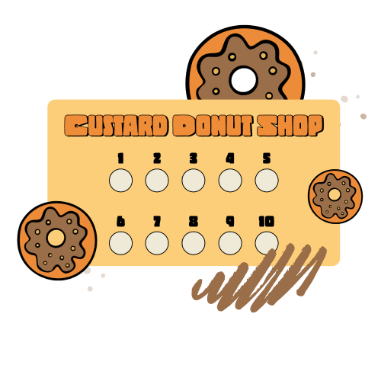
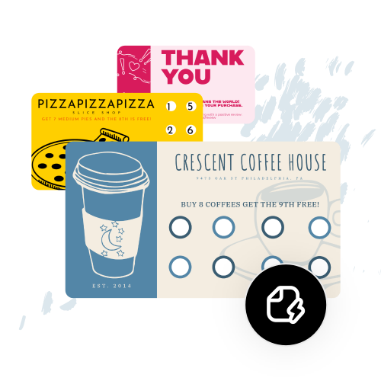
Reward your customers or clients with loyalty cards that keep them coming back. Design branded loyalty cards that feature custom punches, rewards, and branding. Explore our Adobe Express professionally designed templates to get you inspired, then choose one to remix and revise. Print out your design at home, at work, or send it to a professional printer. Create a digital version for all your online shopping and business needs, as well. It’s as easy as choosing a template, customizing, and sharing.
Frequently asked questions.
What is the standard size for a loyalty card?
The size of a loyalty card typically follows the standard business card dimensions of 3.5″x 2″. However, you can create any size you’d like in Adobe Express.
How do I design multiple sides for my loyalty card?
Design one side of your loyalty card, then duplicate your project and use your first page as a template to create the second side. Feel free to add as many sides to your card design as you’d like.
Can I share my loyalty card on social media?
Absolutely, anything you make in Adobe Express can easily be shared to any social channel. Be sure to use the Resize tool to pick the right dimensions for the social channel you plan on sharing your design on.
Can I create my own loyalty card template?
Any new or existing project can be turned into a shareable template. To turn your loyalty cared design into a template, click on the three-dot menu at the left of the Download button and follow the steps to turn your design into a template.
Can I get Adobe Express for free? If so, what’s included?
Yes, Adobe Express has a free plan that includes core features like photo editing tools and effects and thousands of free templates. Learn more about our plans and pricing.
illustrator

