

Adobe Firefly
Use everyday language to create extraordinary results with generative AI.


JUMP TO SECTION
Details and language matter for AI image prompts
Three photorealistic AI image prompt examples
Five AI image prompt examples for illustration and art
Two design and branding AI image prompt examples
Two AI image prompt examples for 3D renderings
Two creative and experimental AI image prompt examples
AI image prompt examples show how generative models interpret text and turn it into visuals. A single prompt can specify everything from style and lighting to mood, angle, materials, and environment — and slight adjustments can produce dramatically different results.
Specificity is key when crafting prompts for an AI image generator. Small adjustments — like changing the lighting style, adding a mood or environment, or specifying materials and textures — can completely change the output. The more precise your language around composition, environment, and aesthetic details, the closer you'll get to your intended result. Browse the prompt examples below or explore AI generated image examples to see how specific language choices impact the final AI generated image.
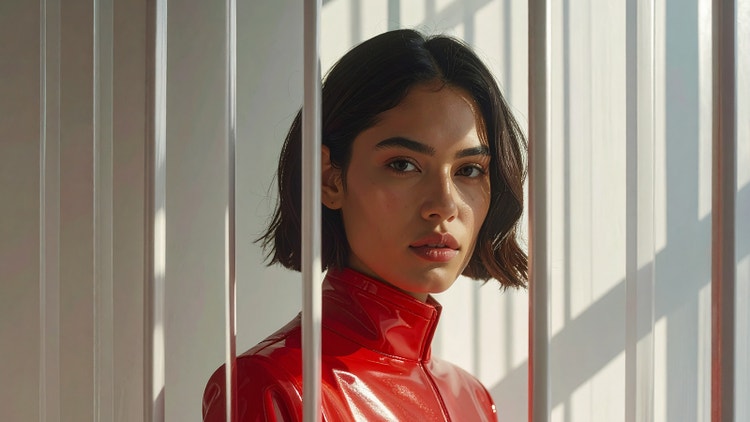
Prompt: Create a photorealistic, cinematic fashion portrait of a young woman wearing a futuristic red leather jumpsuit. She is looking directly at the camera, positioned behind a semi-opaque, vertically striated window. The soft, directional lighting casts subtle shadows and highlights the texture of the glass against a minimalist, futuristic background.
Tools and features: Adobe Firefly Image Model 4, Generative Fill
Photorealistic prompts focus on creating images that mirror real-world photography. These AI image generation prompt examples use specific terminology around lighting, camera specifications, and compositional elements to achieve convincing realism. This section covers three approaches to realistic image generation:
Realistic image prompts emphasize natural lighting, accurate proportions, and authentic textures. Key phrases include "photorealistic," "high resolution," "natural lighting," and specific details about materials, settings, and perspective. The more environmental context you provide — weather conditions, time of day, surface textures — the more convincing the result.
Try the AI image prompt examples below to achieve realistic images:
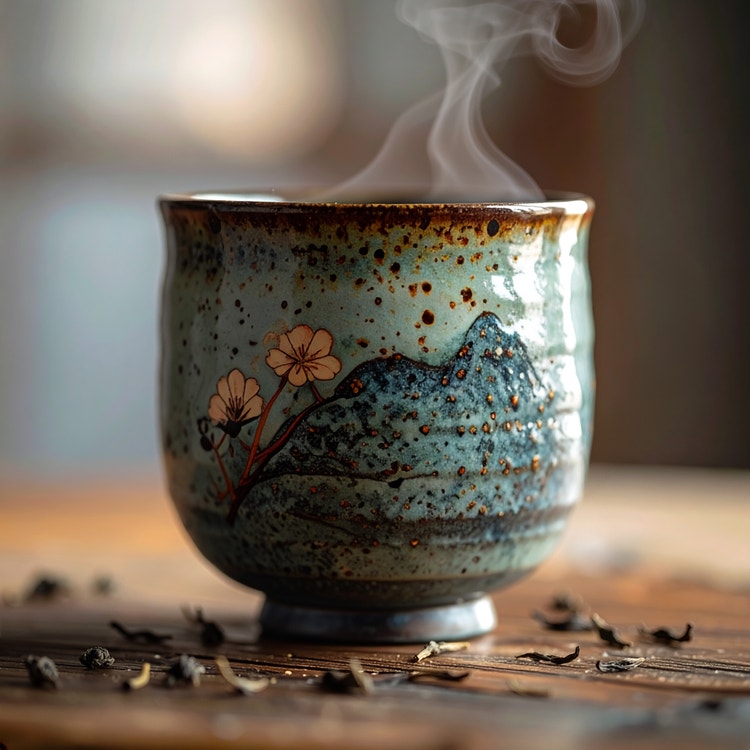
Prompt: Create a realistic close-up photograph of a Japanese ceramic tea mug, shot with a 50mm lens to achieve a shallow depth of field and highlight intricate design details and a textured surface. Steam rises from the top, tea leaves are scattered on a wooden counter, and the background is softly out of focus.
Tools: Adobe Firefly Image Model 4, Adobe Firefly Image Model 5 (preview)
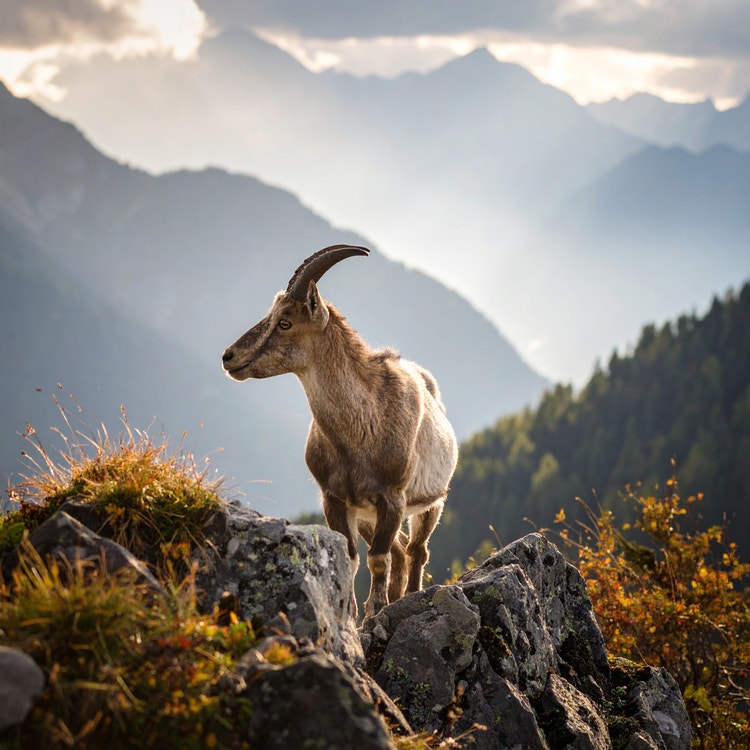
Prompt: Create a realistic image of a mountain goat standing on a jagged rocky outcrop, bathed in soft natural light that highlights its dense, shaggy fur and tough hooves. Misty, towering mountains and a dense forest are in the background to evoke a serene, wild natural setting.
Tools: Adobe Stock, Adobe Firefly Image Model 4
Cinematic prompts create dramatic, film-quality images with intentional mood and visual storytelling. Essential phrases include "cinematic lighting," "anamorphic," "film grain," "color grading," and specific references to cinematography techniques like "shallow focus," "backlighting," or "volumetric fog." Mentioning aspect ratios, camera movement implications, and atmospheric effects also helps achieve that polished, movie-like quality.
Try the AI image prompt examples below to achieve cinematic images:
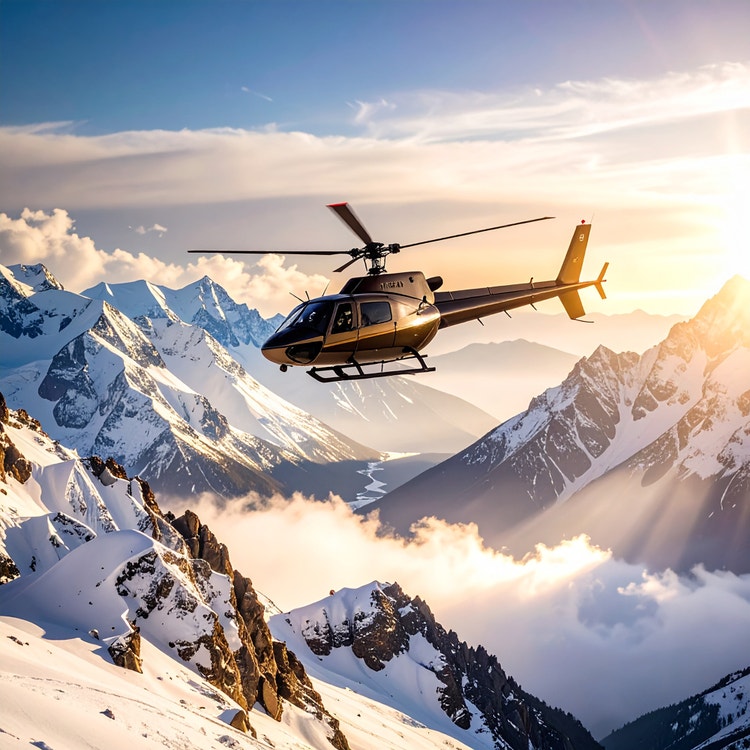
Prompt: Create a sweeping, cinematic landscape featuring a sleek helicopter soaring above snow-capped mountains, with mist rising from the valley below and sunlight casting dramatic shadows and long rays through the haze to create a breathtaking, dramatic scene.
Tool: Adobe Firefly Image Model 4
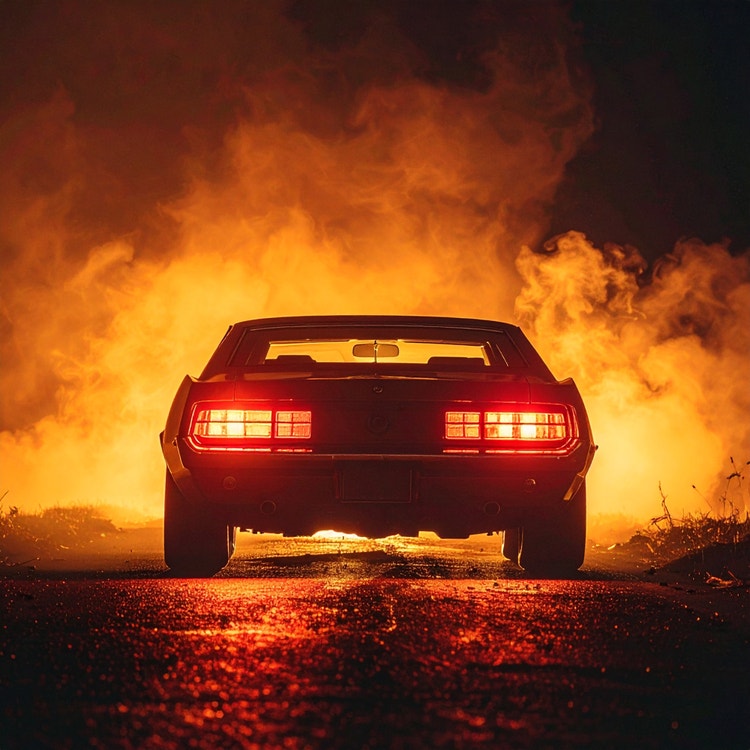
Prompt: Create a moody, hyper-realistic film still of a 1970s muscle car parked on a dark, fog-filled road at night, with thick smoke billowing from the tailpipe, red taillights cutting through the haze, and volumetric fog enhancing the dramatic lighting and eerie atmosphere.
Tool: Adobe Firefly Image Model 4
Portrait prompts focus on facial features, expressions, lighting direction, and character details. Effective phrases include "professional headshot," "soft lighting," "shallow depth of field," "bokeh background," and specific descriptors for age, expression, styling, and wardrobe. References to portrait photography techniques like "Rembrandt lighting," "catchlights," or "three-quarter view" help the AI portrait generator create polished, engaging portraits.
Try the AI image prompt examples below to achieve portrait images:
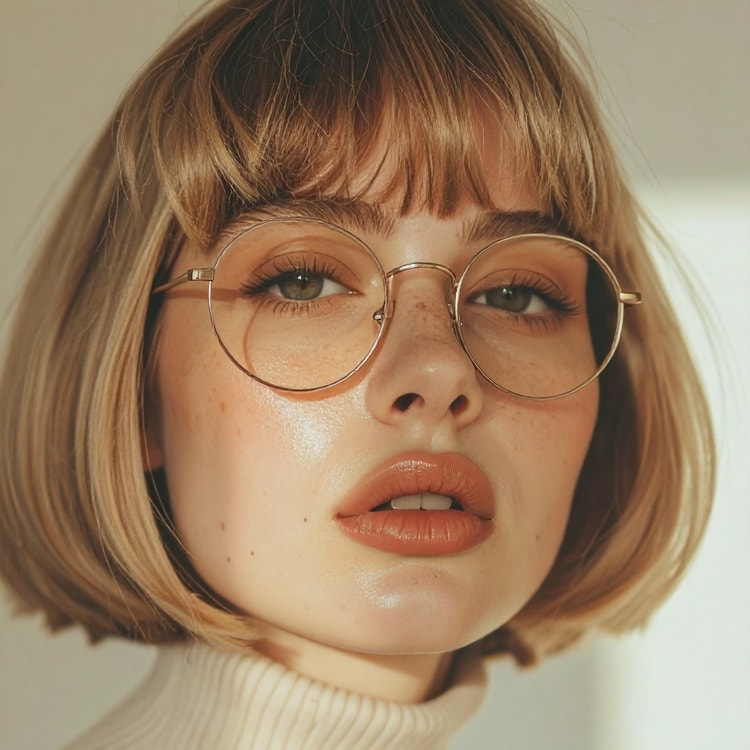
Prompt: Create a soft-focus close-up portrait of a model wearing a turtleneck and round glasses against a neutral background, with hair styled in a 1970s shag cut. Use a muted, analog color palette that features natural film grain and a vintage editorial feel.
Tool: Adobe Firefly Image Model 4
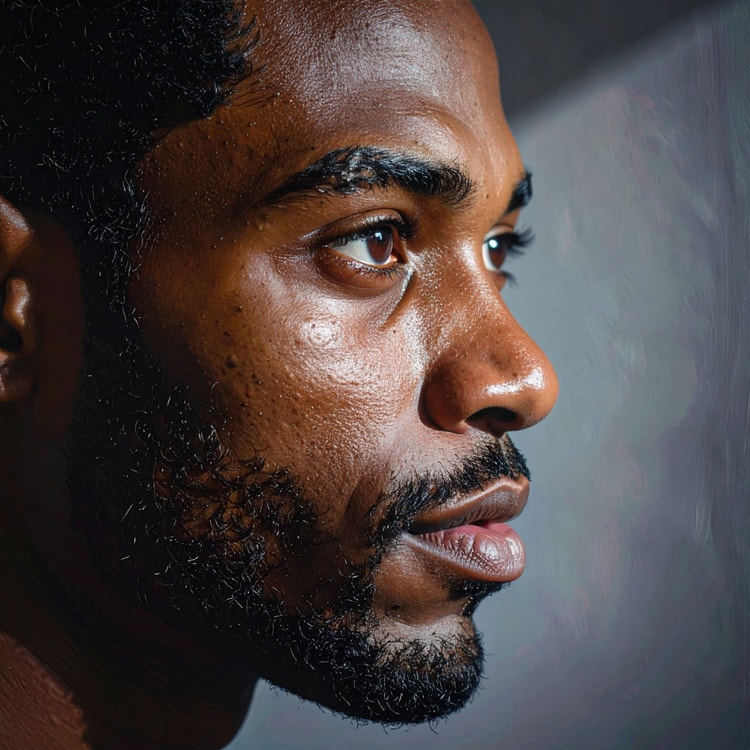
Prompt: Create a hyper-realistic side-profile portrait of a Black man with a hopeful, introspective gaze, using creative lighting to cast dramatic shadows that emphasize his chiseled features. Use cool tones for an artistic mood and a softly blurred background shot with an 85mm lens to draw focus to his expressive eyes and emotional presence.
Tool: Adobe Firefly Image Model 4
Artistic and illustrated prompts unlock a whole world of creative styles with the Adobe Firefly AI image generator. AI art prompts use style-specific terminology like "watercolor wash," "line art," "cel-shaded," or "impasto texture" to guide the Firefly AI art generator toward particular artistic techniques and aesthetics. This section covers five distinct artistic AI prompt examples:
Painting prompts reference traditional art techniques and mediums. Key phrases include specific paint types: "oil painting," "watercolor," "acrylic"; brushwork descriptions: "visible brushstrokes," "smooth blending," "palette knife texture"; and art movement references: "impressionist," "expressionist," "realist." Mentioning canvas texture, color palette, and artistic era helps the Adobe Firefly AI painting generator capture authentic painting qualities.
Try the AI image prompt examples below for painting-style images:
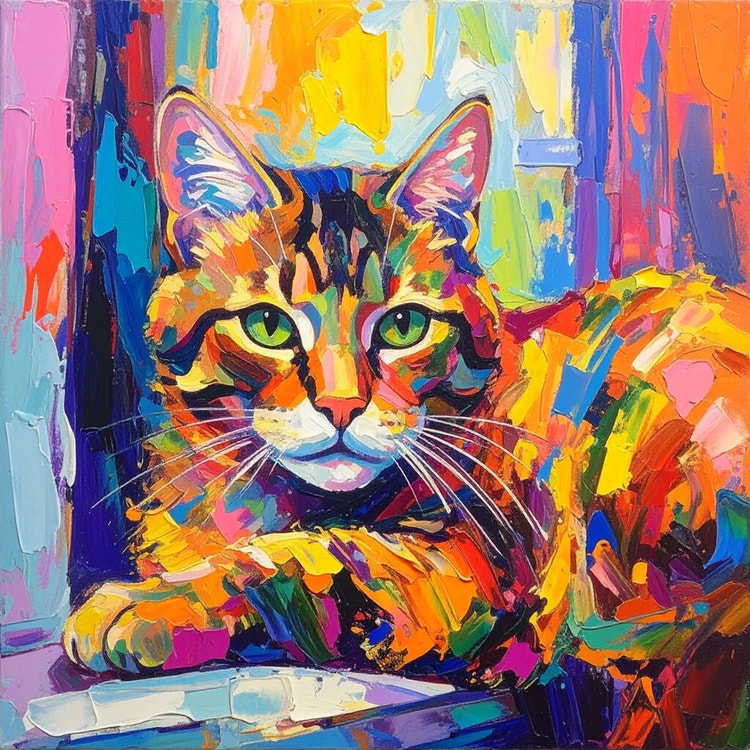
Prompt: Create a vibrant oil painting of a cat lazily resting on a windowsill, rendered with distorted, expressive brushstrokes and bold, vivid colors. The cat’s fur is defined by dynamic, swirling strokes and the window sill and background are abstracted in a 20th-century Expressionist style.
Tool: Adobe Firefly Image Model 4
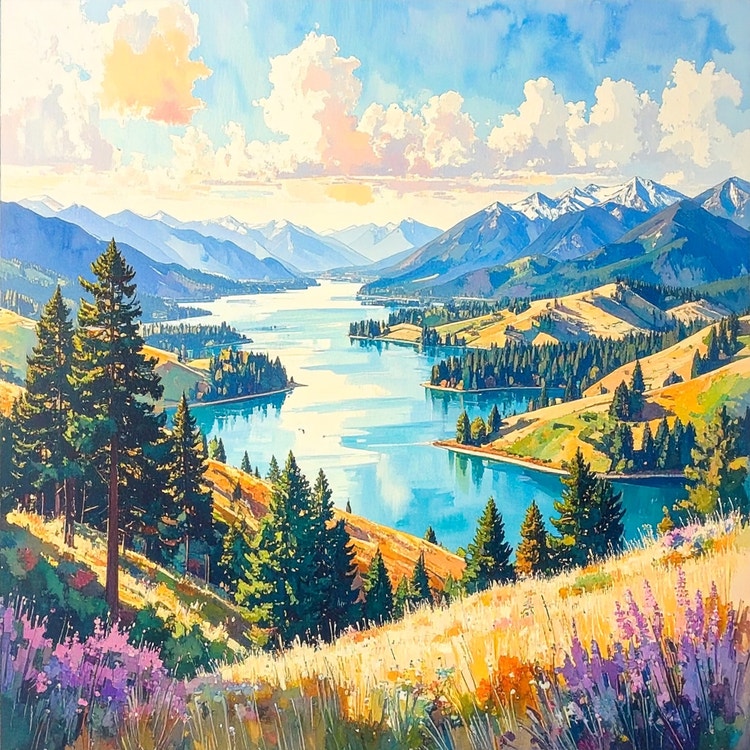
Prompt: Create a vibrant, harmonious abstract watercolor painting of rolling hills, a serene lake, and towering trees, using soft pastel hues blended with bold strokes to capture the tranquil beauty of nature in an elegant, painterly aesthetic.
Tool: Adobe Firefly Image Model 4
Illustration prompts define linework, coloring techniques, and visual style. Effective terminology includes "flat color," "clean line art," "vector style," "hand-drawn," "digital painting," and references to illustration contexts, like "editorial illustration," "children's book," or "concept art." Specifying texture, shading approach, and intended use helps the Adobe Firefly AI image generator create focused illustrated results.
Try these AI image generator prompt examples for illustrated images:
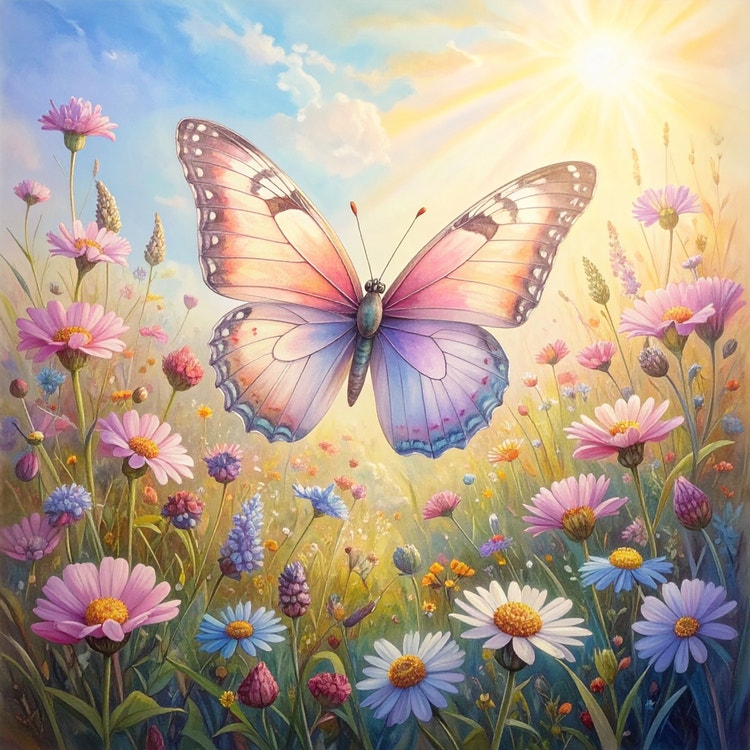
Prompt: Create a children’s book–style illustration of a whimsical butterfly with delicate, fluttering wings, gently floating above a field of blooming wildflowers, rendered with colored pencil textures and a hand-drawn look, as soft sunlight filters through the petals to create a magical, serene atmosphere.
Tool: Adobe Firefly Image Model 4

Prompt: Create a modern editorial illustration of a person sitting cross-legged on a fluffy cloud cushion, deeply absorbed in a vintage book. Hanging lights above cast a warm golden glow while clean lines and flat colors create a calm, dreamlike scene.
Tools and features: Adobe Firefly Image Model 4, Adobe Firefly Image Model 5 (preview), Generative Fill
Anime prompts reference specific animation styles, character archetypes, and visual conventions from Japanese animation. Key phrases include "anime style," "manga," "cel-shaded,"; character descriptors like "shounen," "shoujo," "chibi,"; and technical elements like "dynamic action lines," "expressive eyes," or "dramatic lighting effects." The Adobe Firefly AI anime generator responds well to popular anime aesthetics and storytelling genres references.
Try the AI image generator prompt examples below for anime images:

Prompt: Create a dynamic shounen-style anime scene of energetic boys sprinting mid-run, with wind whipping through their hair as they race forward in school uniforms toward a distant goal. Use a blurred background to emphasize speed, motion, and intensity.
Tool: Adobe Firefly Image Model 4

Prompt: Create a slice-of-life anime portrait of a girl laughing joyfully with her eyes closed and cheeks flushed, set against a vibrant sunset backdrop that enhances the warmth and emotion of the moment.
Tool: Adobe Firefly Image Model 4
Comic book prompts emphasize panel composition, bold linework, and dramatic visual storytelling. Essential phrases include "comic book style," "graphic novel," "ink lines," "Ben-Day dots," "speech bubbles," "action lines," and genre-specific terms like "superhero," "noir," or "indie comics." The Adobe Firefly AI comic book generator excels with references to specific comic art styles, dramatic angles, and dynamic action.
Try the AI image prompt examples below for generative AI comic book images.
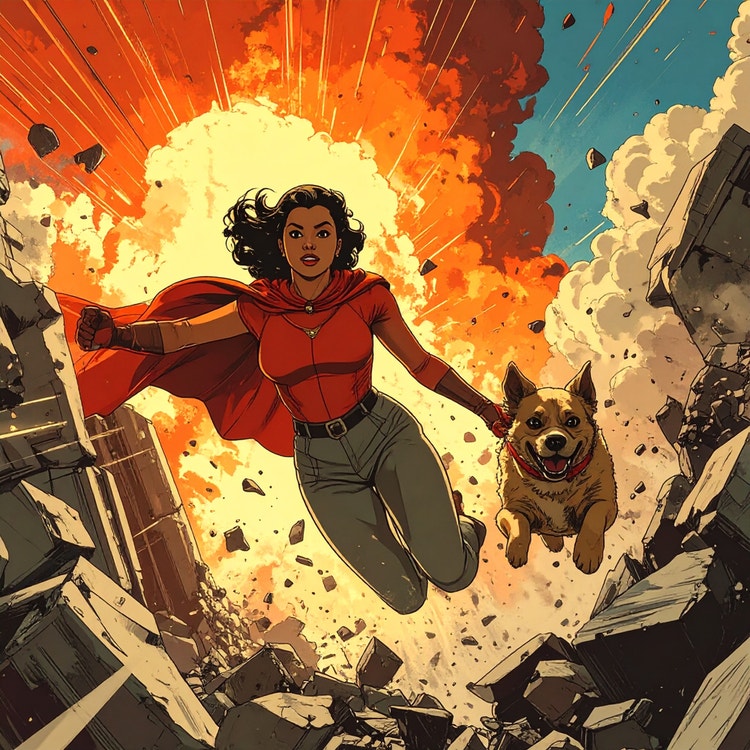
Prompt: Create a superhero-style action scene illustrated in a vintage comic panel style, where a building explodes in the background and sends debris flying as a superhero woman bursts from the rubble alongside her dog. Use bold linework and richly detailed textures.
Tool: Adobe Firefly Image Model 4
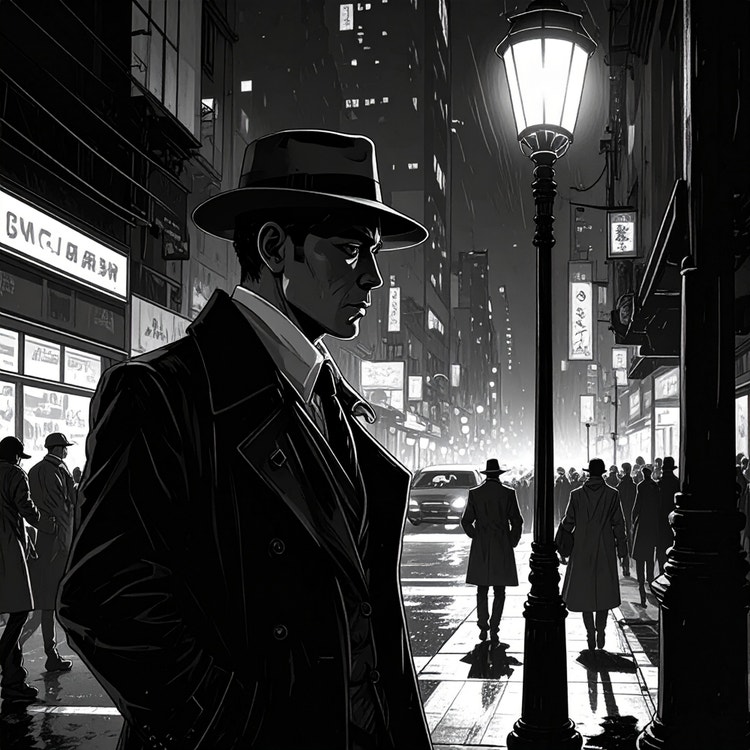
Prompt: Create a noir comic–style scene of a detective in disguise standing on a busy city street at night beneath a dimly lit lamppost, depicted in stark black and white with dramatic shadows, bustling crowds and vehicles in the background, and a tense, cinematic atmosphere with subtle cyberpunk undertones.
Tool: Adobe Firefly Image 4
Pixel art prompts specify resolution, color limitations, and retro gaming aesthetics. Key terminology includes "pixel art," "8-bit," "16-bit," "isometric," "sprite," and color count ("16-color palette," "limited colors"). The AI pixel art generator responds to references to specific gaming eras, pixel density, and retro game styles from arcade classics to JRPG aesthetics.
Try these image prompt examples for AI generated pixel art:
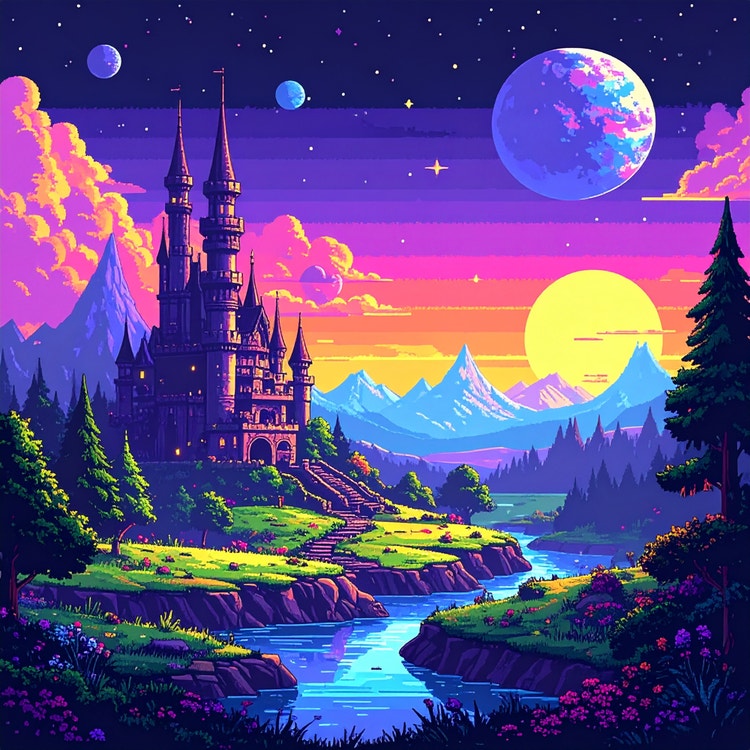
Prompt: Create a vibrant 8-bit–style landscape featuring a detailed castle with tall towers and planets floating in the sky. Use rich retro colors to evoke a whimsical, enchanting world.
Tool: Adobe Firefly Image Model 4
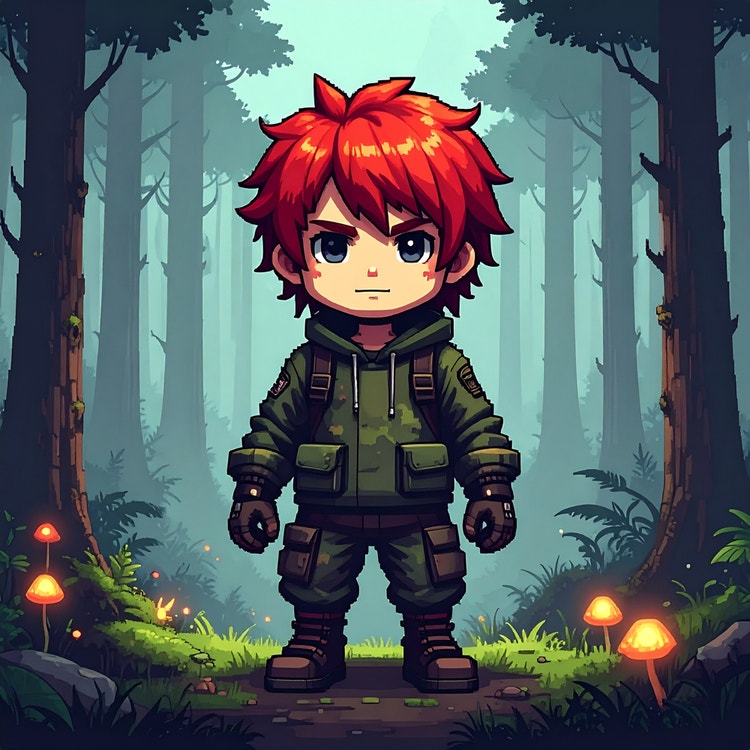
Prompt: Create a retro pixel-art game character with vibrant red hair and camo clothing standing in a dense, foggy forest, surrounded by tall mist-covered trees and glowing bioluminescent mushrooms that illuminate the ground and heighten the eerie, atmospheric mood.
Tool: Adobe Firefly Image Model 4
The Adobe Firefly AI image generator enables marketers, advertisers, and designers to rapidly explore concepts and create professional-quality visuals. Whether you're using AI for small business marketing or building brand assets, specific AI prompts for graphic design that reference composition, typography, color theory, and brand aesthetics yield polished, on-brand results. The image prompt examples in this section include:
Logo prompts specify design style, industry context, and visual elements. Effective phrases include "minimalist logo," "modern geometric," "vintage badge," "mascot design," and details about symbolism, color schemes, and typography style. Clear industry descriptors and aesthetic direction help the Adobe Firefly AI image generator and AI design generator create memorable, professional logo designs.
Try these image prompt examples for AI generated logo designs:
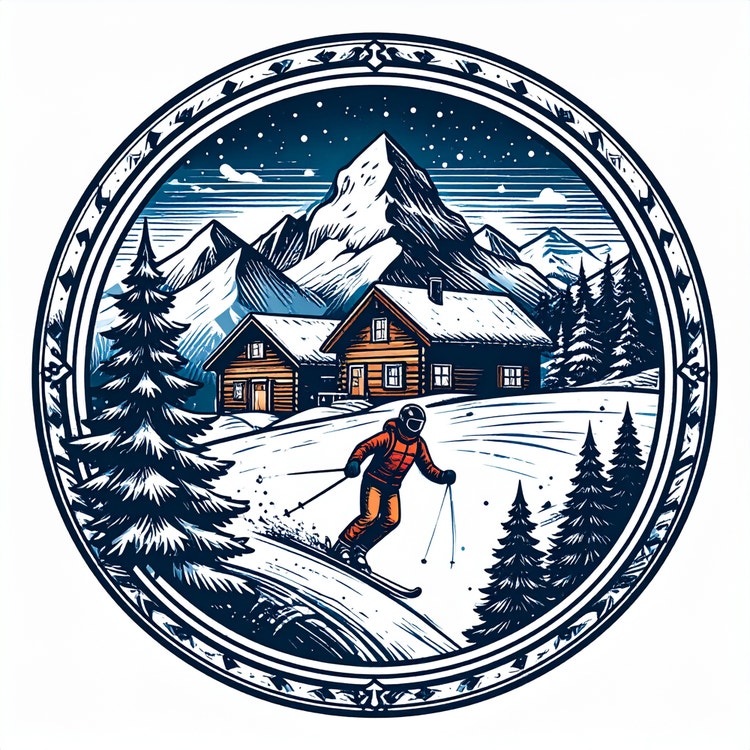
Prompt: Create a circular, vintage-style badge logo featuring a vignette of a skier gliding through fresh snow, with a cozy mountain ski lodge nestled among snowy trees and peaks in the background. Use intricate detailing for a classic, elegant look.
Tools and features: Adobe Firefly Image Model 4, Generative Fill

Prompt: Create a hand-drawn, minimalist logo of a cherry with subtle sparkles, illustrated in red and white with a simple outline style on a clean white background.
Tool: Adobe Firefly Image Model 4
Pattern prompts define repetition, symmetry, and visual rhythm. Key terminology includes "seamless pattern," "repeating motif," "geometric tessellation," "organic flow," and specifics about scale, color palette, and intended use like "textile design" or "background pattern." Clear direction on style and complexity helps create versatile, usable patterns.
Try these image prompt examples for AI generated patterns and shapes:
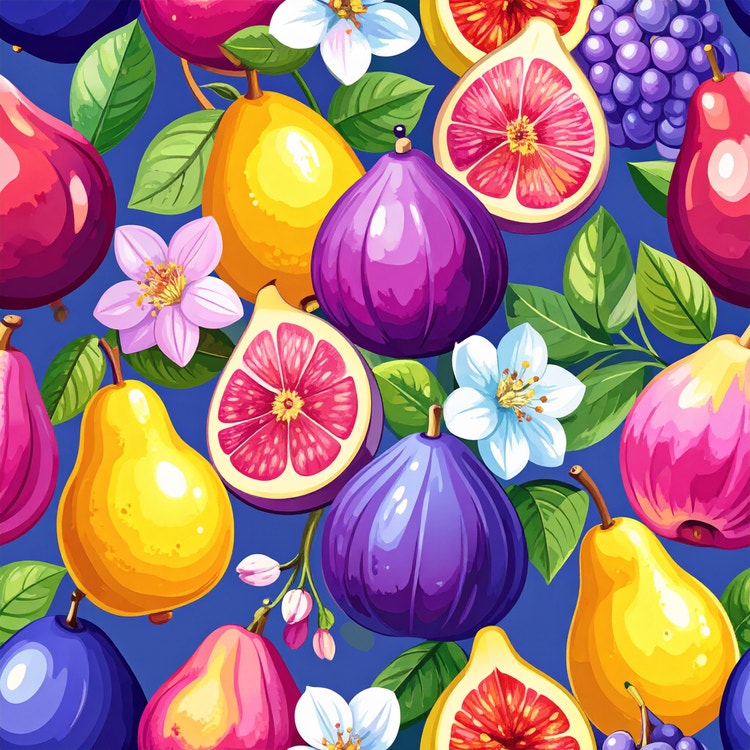
Prompt: Create a vibrant, hand-painted seamless pattern featuring clusters of pears, figs, and plums in a lush, colorful palette, with visible brushstroke texture and scattered fruit blossoms and leaves throughout the design for a natural, whimsical feel.
Tool: Adobe Firefly Image Model 4
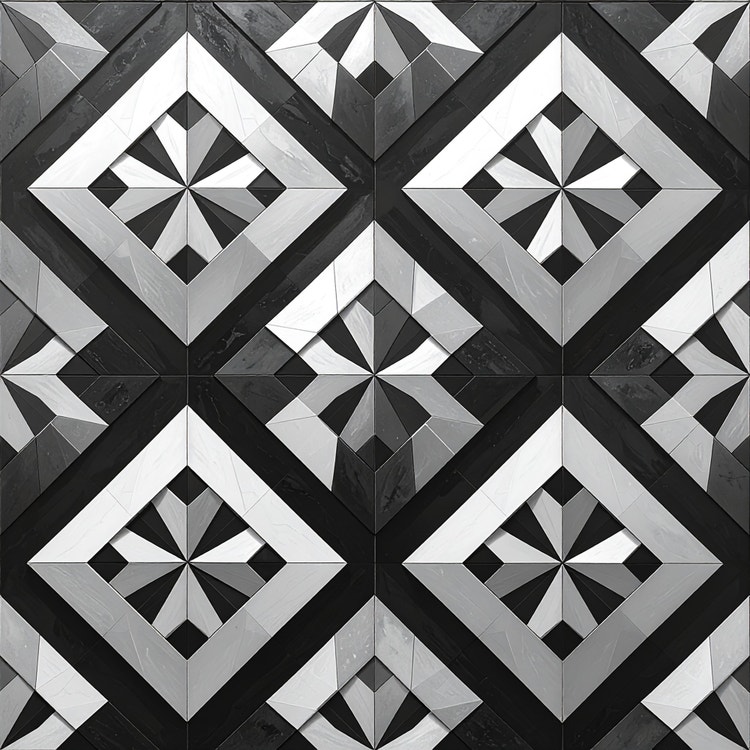
Prompt: Create a sleek, monochromatic repeating pattern composed of geometric shapes and symmetrical angles, designed with sharp contrast and a modern, structured aesthetic.
Tool: Adobe Firefly Image Model 4
3D prompts create dimensional imagery for architectural visualization, product rendering, and spatial design. These prompts use terminology around perspective, materials, lighting setups, and rendering styles to generate convincing three-dimensional results. Whether visualizing buildings or creating product mockups, specific technical language around depth, textures, and environmental context produces more realistic outputs. In this section, we’ll cover two AI image prompt examples for 3D outputs.
Architecture prompts specify building styles, materials, perspectives, and environmental context. Key phrases include architectural movements like "modern minimalist," "farmhouse," "brutalist," or "art deco," along with material callouts such as "glass and steel," "natural wood," or "concrete." Understanding generative AI in architecture and using effective AI architecture prompts with details about lighting, landscaping, and viewpoint helps Adobe Firefly create compelling architectural images.
Try these AI image prompt examples for architecture images:
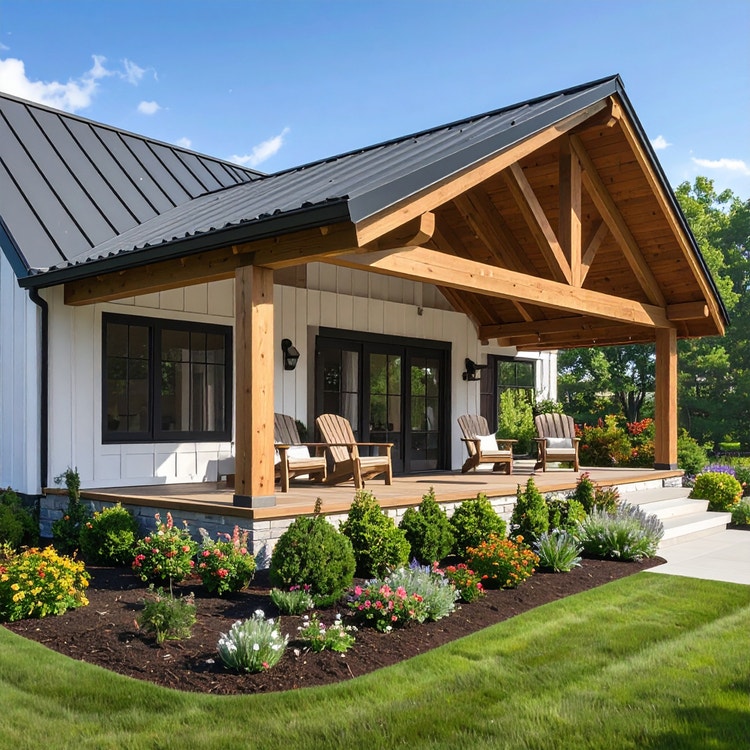
Prompt: Create a modern farmhouse exterior with exposed wooden beams, black trim, a metal roof, and white siding, featuring a spacious front porch with Adirondack chairs and lush, well-manicured landscaping filled with blooming flowers and neatly trimmed shrubs.
Tool: Adobe Firefly Image Model 4
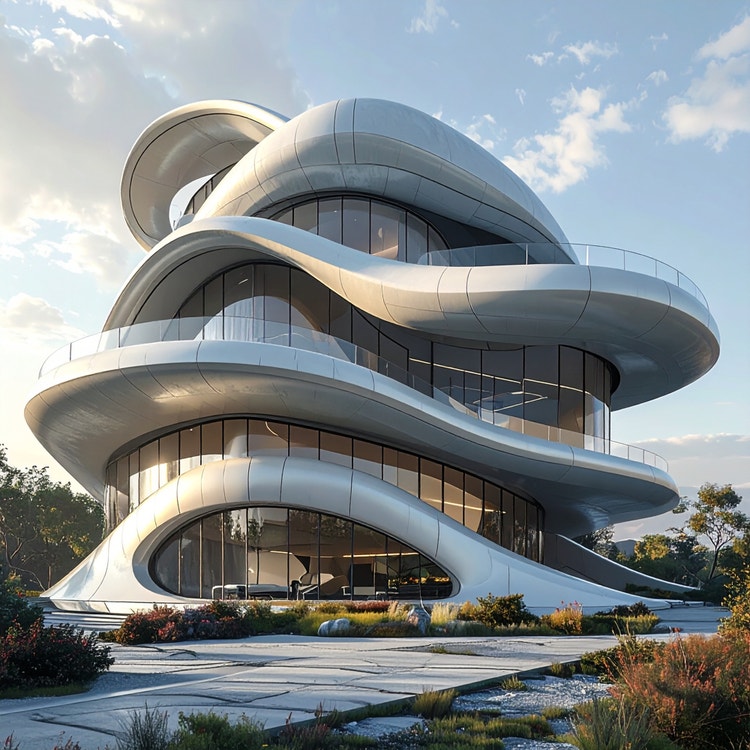
Prompt: Create a sleek, modern architectural exterior that resembles a sculptural form, defined by smooth, curving edges and organic shapes.
Tool: Adobe Firefly Image Model 4
3D rendering prompts focus on dimensional objects, materials, and lighting setups. Essential terminology includes rendering styles like "photorealistic 3D render," "clay render," or "wireframe,"; material properties such as "metallic," "matte," "translucent,"; and lighting descriptions like "studio lighting" or "ambient occlusion." The Adobe Firefly 3D image generator also responds well to specific details about surface textures, reflections, and spatial composition.
Try these AI image prompt examples for 3D renderings:
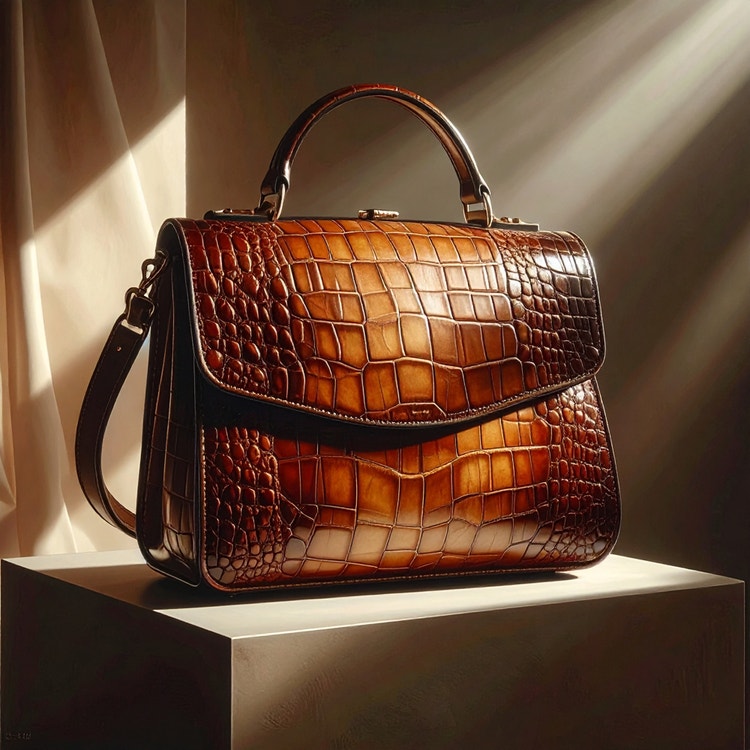
Prompt: Create a product render of a luxurious crocodile leather purse with rich grain and texture, placed on a pedestal and lit with soft, diffused lighting that highlights its contours, reflective surfaces, and elegant craftsmanship.
Tool: Adobe Firefly Image Model 4
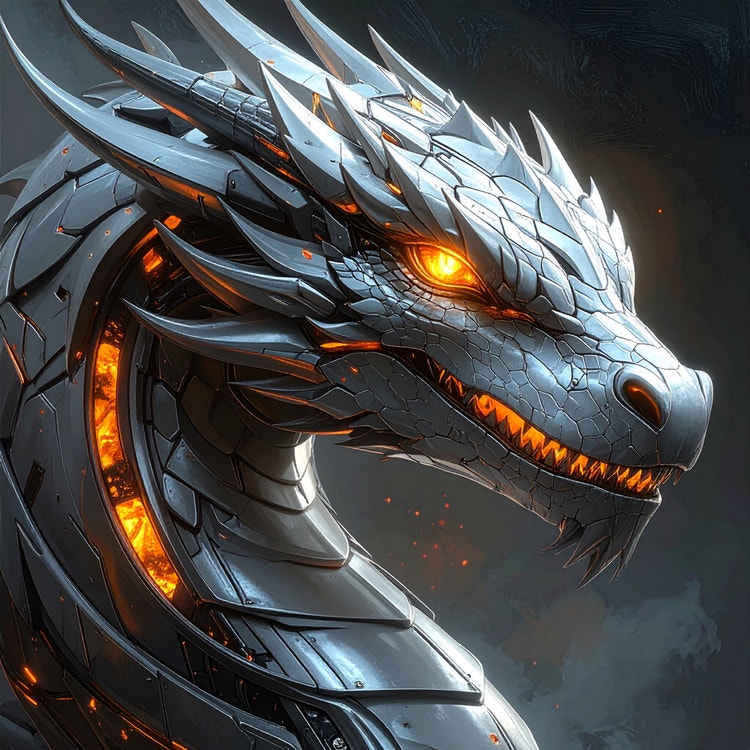
Prompt: Create a stylized 3D character of a dragon constructed from metal, featuring a sleek, modern design with sharp angles, smooth curves, and detailed, glowing eyes that bring the form to life.
Tool: Adobe Firefly Image Model 4
Creative and experimental prompts push beyond traditional categories into imaginative, unconventional visual territory. These styles embrace the surreal, fantastical, and unexpected — combining elements that challenge reality and spark imagination. Whether creating dreamlike compositions or mythical worlds, the Adobe Firefly AI image generator benefits from prompts with vivid descriptive language and a willingness to explore unusual combinations. In this section, we’ll cover two types of AI image generation prompt examples, including:
Surreal prompts create dreamlike imagery that defies logic and physics. Key phrases reference surrealist art movements, impossible juxtapositions, and dreamscape elements. Terms like "melting," "floating," "distorted perspective," "Dalí-inspired," "metaphysical," and descriptions of unexpected object combinations help generate thought-provoking, reality-bending visuals.
Try these AI image generation prompt examples for surreal images:
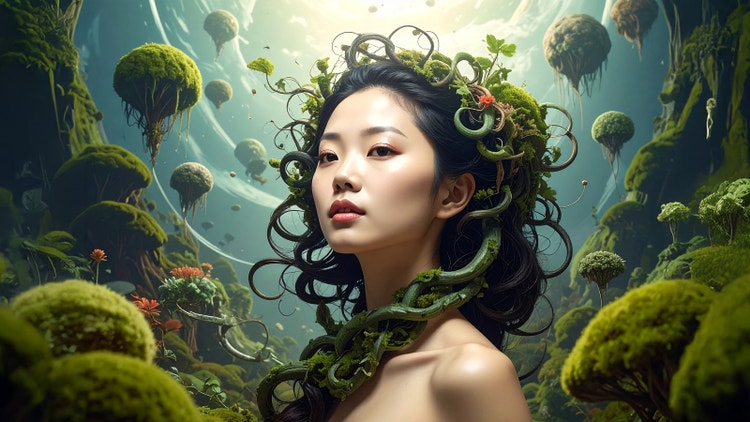
Prompt: Create a surreal portrait of a woman whose hair is formed from swirling vines, set within a dreamlike landscape filled with floating plants and lush, otherworldly moss. The vines curl and move around her head to evoke a metaphysical atmosphere of wonder and mystery.
Tools and features: Adobe Firefly Image Model 4, Generative Fill
Fantasy prompts build magical, mythical worlds with legendary creatures and enchanted environments. Effective AI image prompt terminology includes genre specifics like "high fantasy," "dark fantasy," or "whimsical," creature descriptions, magical effects such as "glowing runes," "ethereal mist," or "mystical energy," and atmospheric details that establish otherworldly settings.
Try these AI image generation prompt examples for surreal images:
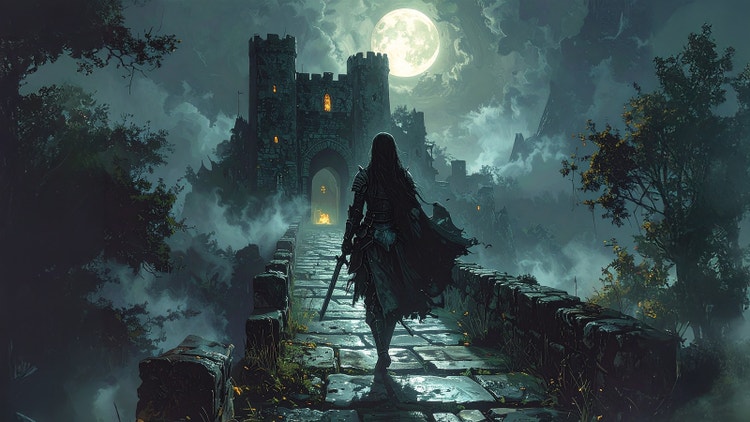
Prompt: Create a dark fantasy scene of a mysterious knight in tattered armor crossing an ancient stone bridge at night. The moon casts eerie shadows as ethereal mist swirls around him. The path leads toward a ruined castle with crumbling towers and windows aglow with an otherworldly light.
Tools and features: Adobe Firefly Image Model 4, Generative Fill
Crafting effective AI image prompts is part art, part strategy. The most successful AI image generation prompts balance specificity with clarity, giving Adobe Firefly enough detail to generate your vision while avoiding overly complex descriptions. Whether you're creating your first image or refining a concept with our AI photo editor, the best practices below will help you get better results faster.
Surrealism, Cubism, Impressionism — find out how to create images in these and other art styles with generative AI.
From realistic product photos for e-commerce to abstract art shared on social media, generative AI is transforming the way images are imagined, created, and customized. See what’s possible with the Adobe Firefly AI image generator examples below.
From fashion to branding to interior design, mood board examples offer a starting point for every creative process. Browse styles and layouts to spark ideas for the perfect mood board vibe.
Adobe Firefly makes it easy to create AI generated videos for ads, film, animation, and so much more. Keep reading to explore examples, prompts, and tools that can help you bring any idea to life.