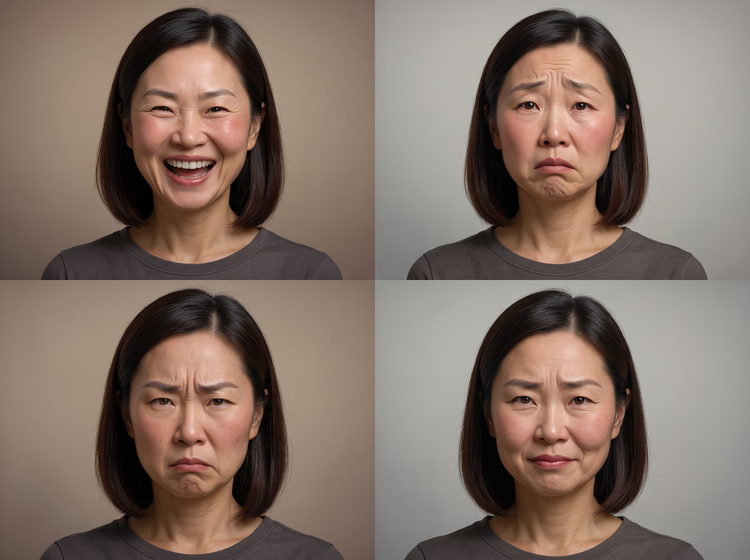
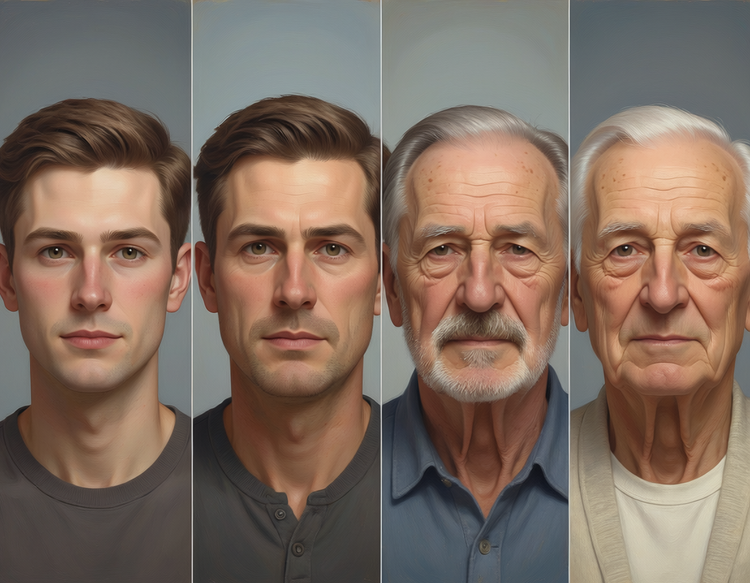
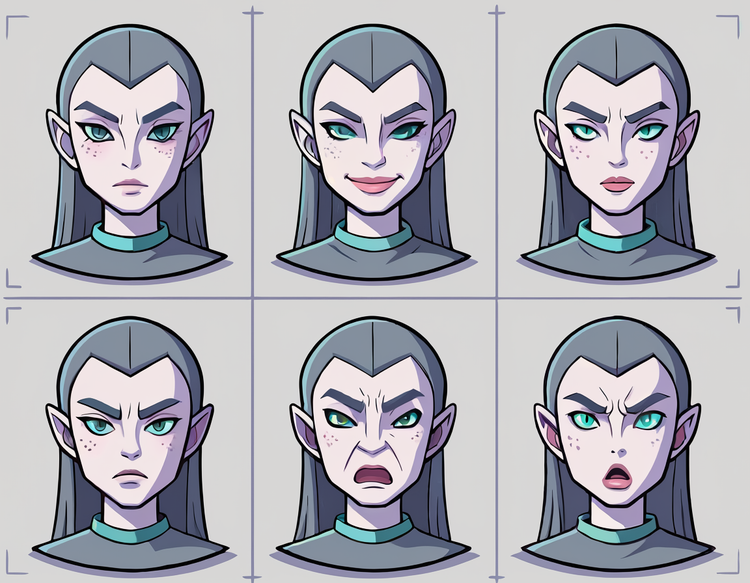
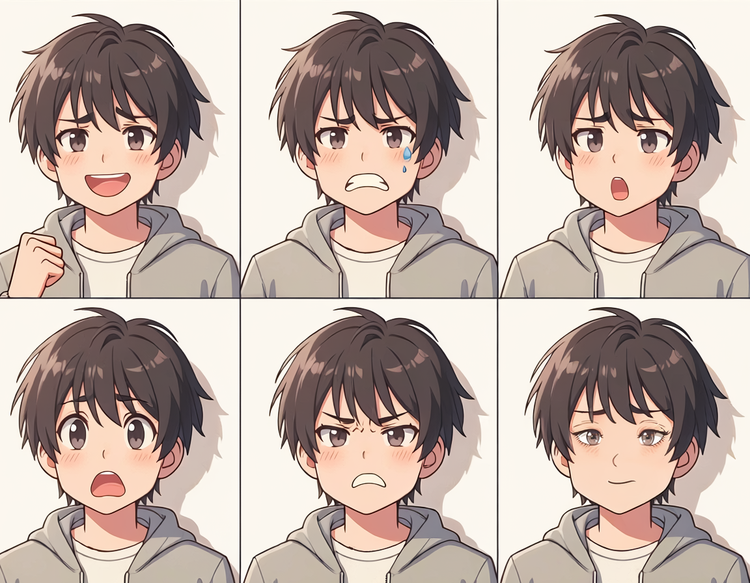
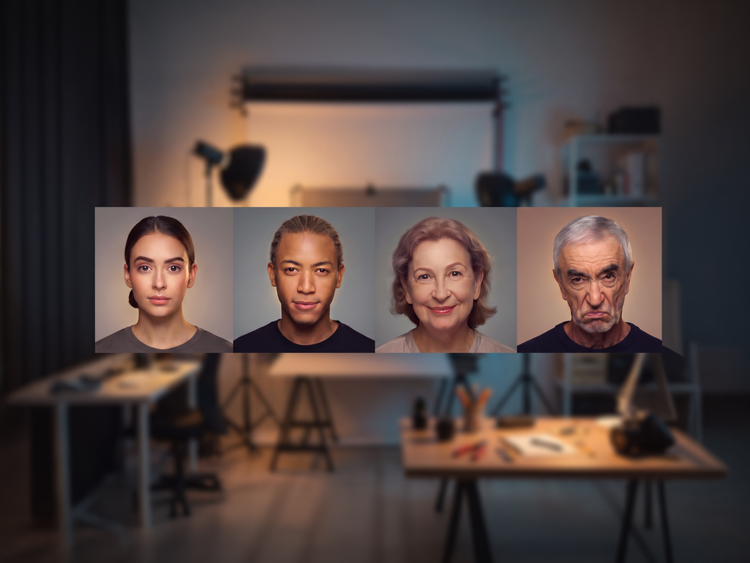
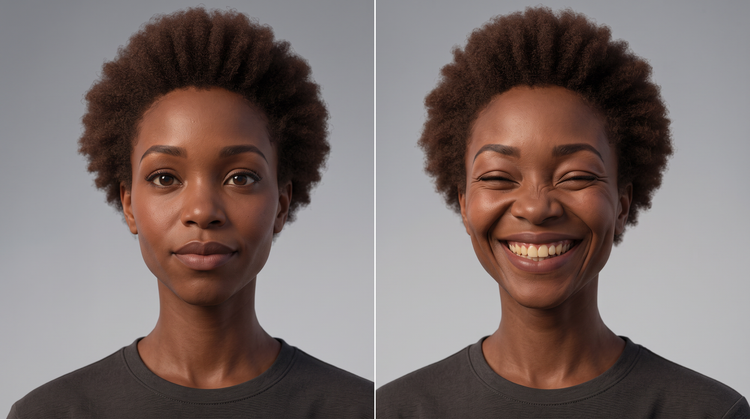
Capture emotion in characters' faces with precise facial expression control.
With Adobe Firefly, you can explore the exact emotion you need, from subtle micro-expressions to dramatic emotional arcs. Generate specific expressions quickly, iterate on facial features, and build a complete emotional language for your character without starting from a blank canvas. All for free!
Describe the exact emotion your character needs, and Adobe Firefly will generate that expression with realistic facial features and subtle eye movement. Adjust emotional intensity from micro-expression to full expression and capture the precise moment your character needs.
Control facial features alongside emotion.
Expressions aren't just about eyes and mouth. Use your prompt to control age, eye shape, facial structure, and subtle details like smile lines or furrowed brows. Combine precise facial descriptions with emotional direction to get the exact character study you need.
Use your expression studies in professional work with confidence.
Firefly generative AI models produce commercially safe content, so you can bring your character expressions into animation production, comic book panels, game design documents, and storyboard sequences without licensing concerns.
Build emotion libraries and expression sheets quickly.
Character development requires exploring emotional range. Adobe Firefly lets you generate multiple expressions for a character with a single prompt, compare variations, and build a complete expression sheet for animation, rigging, or storyboarding. Refine the strongest emotions and move into production faster.
How to use Expression Generator with Adobe Firefly.
Log in to Adobe Firefly with your Adobe ID or create a free account to get started. Select the Generate Image feature from the Adobe Firefly home screen.
Type a detailed prompt that describes the emotion, facial expression, age, facial structure, and lighting direction. Be specific about the intensity of emotion, any micro-expressions, eye direction, and subtle details like smile lines or eyebrow position. The more detail you provide about both emotion and facial features, the closer your results will match your intention.
Select an aspect ratio suited to your character study format. Apply style options and adjust color, tone, lighting intensity, and mood. Upload a reference image if you have a specific character or facial structure to anchor your expression studies to. Style settings such as composition, color, tone, and lighting are available on Firefly Image 3 and Firefly Image 4 models.
Click Generate to produce your character expression studies. Review the results and refine your prompt to push the emotional range further. Generate multiple variations of the same emotion to capture subtle nuances, or explore different emotions from the same character base to build your full expression sheet.
Download your expressions as PNG files. Use them directly in storyboards and animation planning.
Describe the emotion you need and Adobe Firefly will generate that expression with realistic facial details. Simply describe the feeling and get a character face study.
Precise facial feature control
Refine expressions by controlling age, facial structure, skin tone, eye shape, brow position, and subtle micro-expressions. Direct your character's emotional intensity and capture the exact facial moment your story needs.
Your complete creative studio
Generate emotions and refine them with precision tools all in one place. Edit your expressions, build full emotion sheets, and then iterate and animate without leaving Firefly.
Built for creators
Get fast results when you need them using intuitive tools that automate common image edits. Dial in the details with precision tools when details matter. Firefly adapts to the way you create.
style
two up, s spacing top, l spacing bottom, show-2-desktop, static-links
Yes. Adobe Firefly will generate specific emotions when you describe them in your prompt. You can request subtle micro-expressions or full expressions, and control the emotional intensity by describing the degree of the feeling. Say "subtle sadness with slight downturned lips" or "intense rage with furrowed brows and clenched jaw." The specificity of your emotional description determines the clarity of the expression.
Content generated with Adobe Firefly models is commercially safe. You can use your expressions in animation productions, game designs, storyboards, comic book pages, film pre-production, and marketing campaigns. You're responsible for determining whether content generated with partner models is appropriate for your projects.
Include facial feature descriptions directly in your prompt alongside the emotion. Specify age, face shape, eye color and shape, skin tone, hair style, and subtle details like smile lines, scars, or eyebrow shape. For example: "a middle-aged character with deep-set eyes and laugh lines showing tender nostalgia, soft diffused lighting." The more detail you layer in, the more precise your expression study becomes.
Yes, you can use the expression generator for free with an Adobe account. A free account gives you access to free daily generations, so you can try Adobe Firefly without a paid plan. Learn more about using Adobe Firefly for free. Paid plans are available for higher-volume generation.
Yes. Adobe Firefly generates multiple variations from each prompt, so you can create full expression sheets quickly. Describe your character once, then generate different emotions by refining your prompt for each expression state. Save all variations and import them into your animation software or character rigging pipeline.
Expressions generated with the Generate Image feature download as PNG files. You can save your expressions and open them in any image editor, for further editing, compositing, or integration into larger character assets.
Yes. Upload a reference image in the Adobe Firefly Generate Image feature to anchor the facial structure and character likeness of your results. This is useful when you have an existing character design or a mood reference you want Adobe Firefly to match or evolve.
Describe both the emotion and the facial anatomy. Include details like muscle movement (furrowed brows, crow's feet, smile lines), eye gaze direction, and subtle asymmetries in facial expression that humans naturally have. Request specific art styles like "photo-realistic" or "detailed digital painting" to guide the result toward your desired realism level.
Adobe Firefly brings together its own models and top partner models from FLUX, Google, OpenAI, and others in a single creative studio. Try different models in the Model Dropdown to find which one produces the most nuanced facial expressions for your character. You can switch between models, compare results side by side, and pick the best outcome for your project.
Yes, you'll need to generate each character expression separately in Adobe Firefly. This two-step process lets you refine each expression individually before assembling them into a scene or multi-panel storyboard.
You can control how Adobe websites use cookies and similar technologies by making choices below. But note that if you disable cookies and similar technologies entirely, Adobe websites may not function properly.
Cookies are small text files stored by your web browser when you use websites. There are also other technologies that can be used for similar purposes like HTML5 Local Storage and local shared objects, web beacons, and embedded scripts. These technologies help us do things like remembering you and your preferences when you return to our sites, measure how you use the website, conduct market research, and gather information about the ads you see and interact with.
You can make choices in the menu below about what cookies and other technologies you want us to use on Adobe sites when you visit them from this browser. You can always change those choices later by clicking on the Cookie Preferences link at the bottom of the page.
If enabled:
We can improve your experience by tailoring the site and the content to things we think might be of interest
We can better keep track of your preferences — like what language you prefer to use
We will better understand your likely interests so we can provide you more relevant Adobe ads and content on non-Adobe websites and in non-Adobe apps
It will help us improve the performance of our website and those of our partners who use the Adobe Experience Cloud
If disabled:
We won’t be able to remember you from session to session so the experience may not be tailored to your interests
You’ll still have access to the content of the site but certain features that depend on cookies may not function
You’ll still see ads, they just may not be as relevant to you
General information
You can control how Adobe websites use cookies and similar technologies by making choices below. But note that if you disable cookies and similar technologies entirely, Adobe websites may not function properly.
Cookies are small text files stored by your web browser when you use websites. There are also other technologies that can be used for similar purposes like HTML5 Local Storage, web beacons, and embedded scripts. These technologies help us do things like remembering you and your preferences when you return to our sites, measure how you use the website, conduct market research, and gather information about the ads you see and interact with.
You can make choices in the menu below about what cookies and other technologies you want us to use on Adobe sites when you visit them from this browser. You can always change those choices later by clicking on the Cookie Preferences link at the bottom of the page.
If enabled:
We can improve your experience by tailoring the site and the content to things we think might be of interest
We can better keep track of your preferences — like what language you prefer to use
We will better understand your likely interests so we can provide you more relevant Adobe ads and content on non-Adobe websites and in non-Adobe apps
It will help us improve the performance of our website and those of our partners who use the Adobe Experience Cloud
If disabled:
We won’t be able to remember you from session to session so the experience may not be tailored to your interests
We’ll still count your use of our site and services
You’ll still have access to the content of the site but certain features that depend on cookies may not function
You’ll still see ads, they just may not be as relevant to you
Operate the site and core servicesOperate site and measure engagement
Always active
These cookies are required, and they are used to enable the site and related services core functionality. Without them the site could not operate, so they cannot be disabled.
These cookies enable the site and related services’ core functionality and collect statistics about user engagement, such as counting active use to help us understand trends. These cookies cannot be disabled.
Measure performance
These cookies are used to analyze site usage to measure and improve performance. Without them Adobe cannot know what content is most valued and how often unique visitors return to the site, making it hard to improve information we offer to you.
These cookies are used to analyze site usage to measure and improve performance. Without them Adobe cannot know what content is most valued, making it hard to improve information we offer to you.
Extend functionality
These cookies are used to enhance the functionality of Adobe sites such as remembering your settings and preferences to deliver a personalized experience; for example, your username, your repeated visits, preferred language, your country, or any other saved preference.
Personalize advertising
These cookies are used to enable Adobe and our partners to serve ads more relevant to your interests. Without them you will still see ads, but they might not be as relevant to you.