



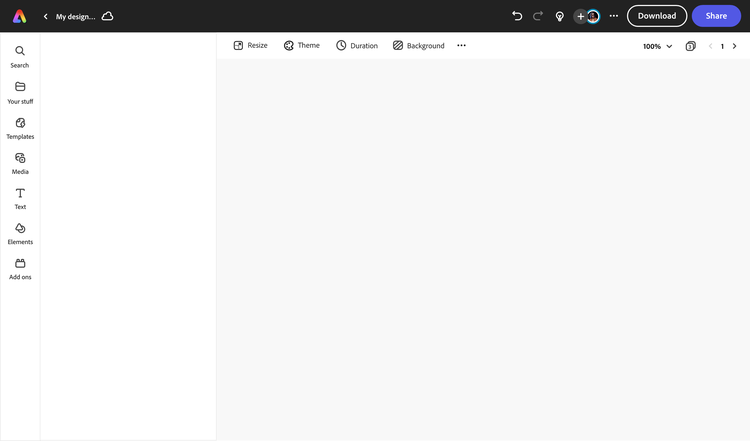
Adobe Express makes designing Twitch banners quick and easy.
Twitch is a fast-growing live streaming service that allows gamers and content creators to broadcast themselves to the world. But the competition for viewers is fierce. If you want your channel to grow, you’ll need to create stunning visuals that draw people in. Using free banner templates from Adobe Express, you can brand your Twitch channel to secure both subscriptions and views.


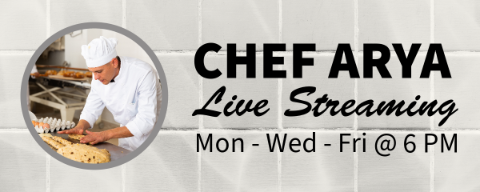
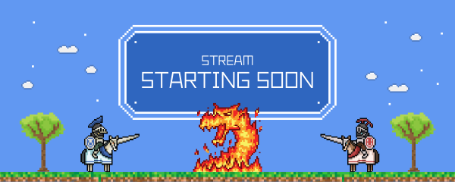
Twitch video player banner templates.
Design a custom video player banner (or offline banner) that’s a perfect fit for your Twitch page. Start with a template, or create your own custom design using your own images, color palette, and logo. Choose from thousands of stock images or graphic assets to add to your design, and even top it off with animation to capture the attention of your audience.

How to make a Twitch banner.
Publish your custom banner for Twitch.
Save and download your finished Twitch banner to your device and share it to all your destinations.
Resize your banner.
Whether you're printing your banner for Twitch or sharing it to your social profiles, you can resize it for any destination in seconds. Choose your desired size and your design will automatically adjust accordingly.
Personalize your banner for Twitch.
Upload your own photos, add amazing effects, and play with text. Discover tons of images, icons, and backgrounds in our asset libraries to add to your Twitch banner.
Start with inspiration.
Browse thousands of professionally designed Twitch banner templates to get inspired, or create from a blank canvas.
Create from anywhere.
Open Adobe Express on web or mobile and start creating for free.
Attract new Twitch subscribers with eye-catching banner templates.
Make first impressions count by customizing your branding with a custom banner for Twitch. There are dozens to choose from, and they all deliver their unique message. Start the design process by selecting the template that best demonstrates your Twitch channel’s values and content. Make various changes to your ready-made banner to fit your aesthetic. There are endless personalization options are your fingertips.
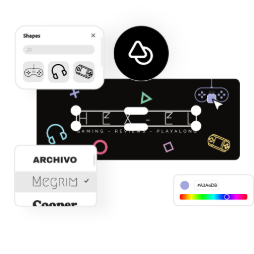
Make Adobe Express your go-to for Twitch banners.
Explore professionally designed templates to get your wheels spinning or create your banner from scratch. Establish a theme for your designs using photos, icons, logos, personalized fonts, and other customizable elements to make them feel entirely authentic. With Adobe Express, it’s free and easy to make, save, and share your banner within minutes.
What’s the best way to start a Twitch banner design?
Since your Twitch banner rests behind your channel’s video overlays, try a wallpaper-style banner. Start from one of our templates, or use our library of free images, icons, and design assets to create a patterned background. Or, try a more abstract design (that fits around the video overlay box) using bright colors and graphics.
Can I use my own images on my Twitch banner?
Definitely – upload your own images right to your banner design and edit them using Photoshop-worthy effects. You can even upload your own logo and resize it, use it to make a pattern, or create an overlay on the rest of your banner design.
What is the optimal size of a profile banner on Twitch?
Twitch banners are 1200px by 480px. Twitch recommends putting most of your important visual elements on the left side of your design where it will get the most visibility based on how the channel pages are laid out.
Can I get Adobe Express for free? If so, what’s included?
Anyone can get Adobe Express for free. Our free plan includes thousands of templates, hundreds of royalty-free Adobe Stock photos, basic editing and photo effects, and more. Learn more about our plans and pricing.
Can I create my own Twitch banner template?
Any new or existing project can be turned into a shareable template. To turn your Twitch banner into a template, click on the three-dot menu at the left of the Download button and follow the steps to turn your design into a template.
illustrator

