


Tap to upload an image.
File must be JPG, JPEG, PNG or WEBP and up to 100MB
By uploading your image or video, you agree to the Adobe
Terms of Use and Privacy Policy
Tap to upload an image.
File must be JPG, JPEG, PNG or WEBP and up to 100MB
By uploading your image or video, you agree to the Adobe
Terms of Use and Privacy Policy
Drag and drop an image
to try it today.
File must be JPG, JPEG, PNG or WEBP
and up to 100MB
By uploading your image or video, you agree to the Adobe
Terms of Use and Privacy Policy
- File size larger than 100MB
- Unable to process the request
- We are unable to process this file type. Please try again.
- Only one file can be uploaded at a time.
- Image is smaller than the minimum dimensions (512 x 512 pixels). Please resize and try again.
- promoid=QTV3NS2W&mv=other
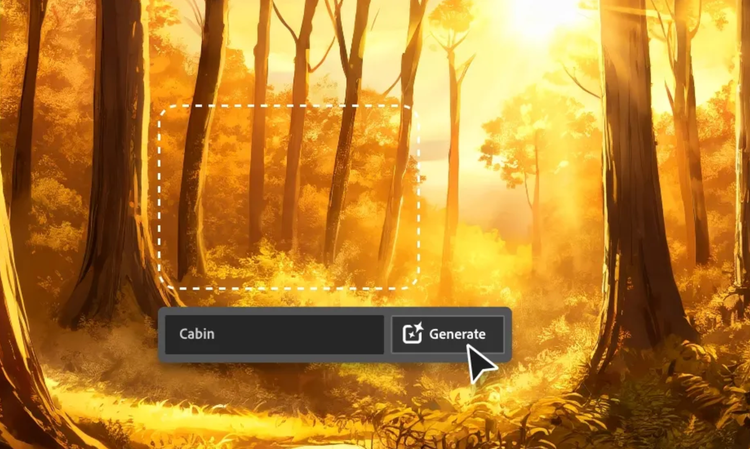
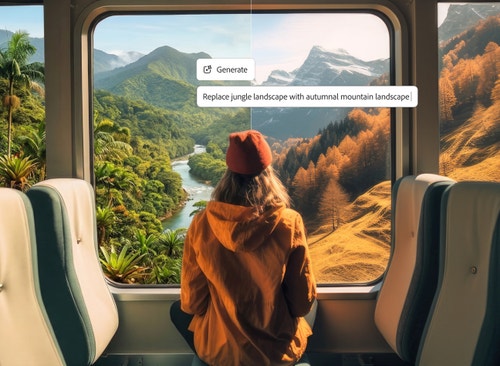
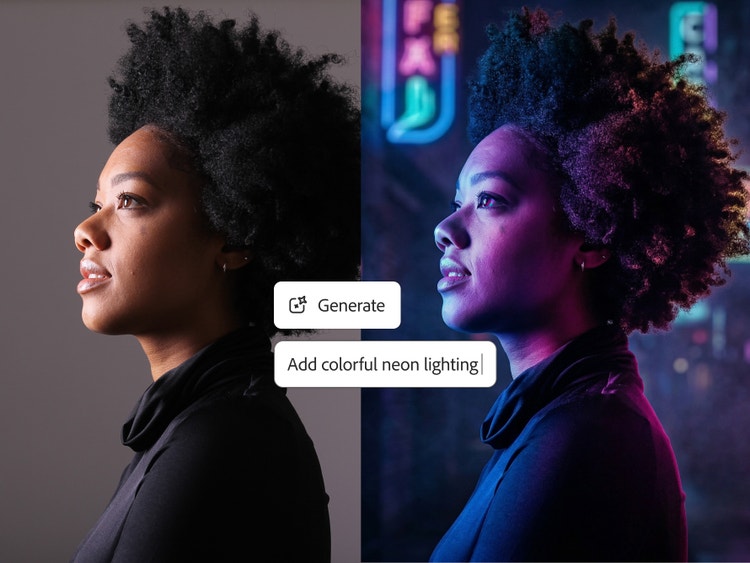
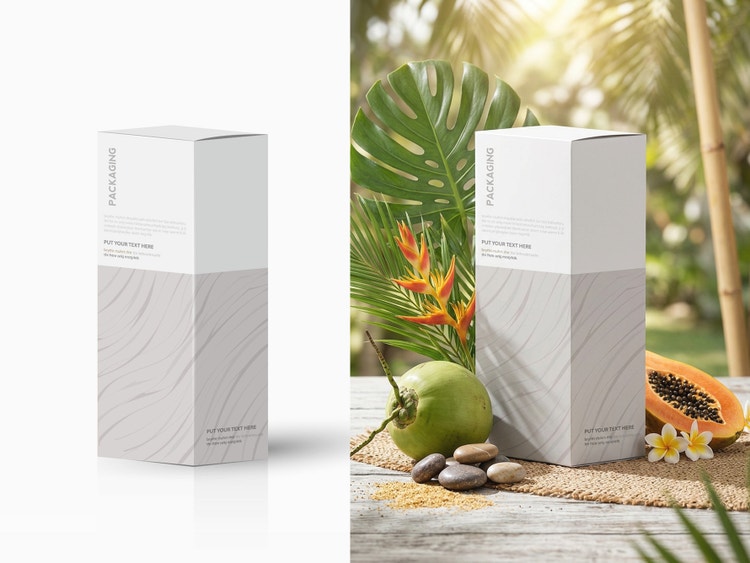
Prompt to Edit in Firefly lets you easily refine and edit photos with AI.
Switch backgrounds.
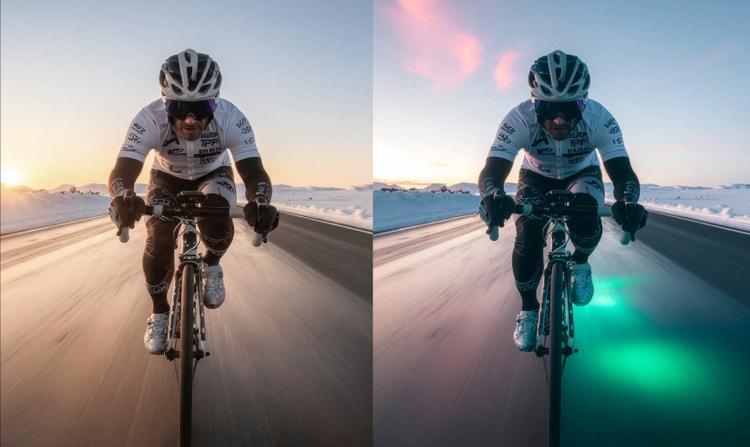
Transform style and mood.
Smart photo editing tools powered by AI.
Experience faster, more intelligent editing with Prompt to Edit AI photo editor capabilities. Powered by generative AI, Firefly simplifies image enhancement — from auto-retouching and color correction to background removal and object replacement.
Faster edits start with free AI photo editing features in Firefly.
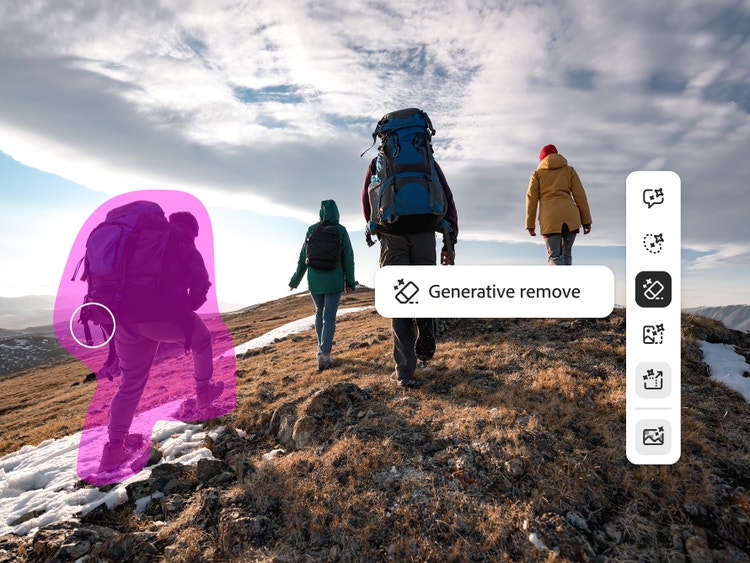
Use Prompt to Edit tools to describe your changes in plain language, such as add or remove objects, swap backgrounds, or refine details instantly. Then fine-tune your results with Generative Fill and Generative Recolor, or explore Quick Actions like cropping, resizing, and tone adjustments. Firefly AI image editor online gives you complete creative control in the browser, so you can edit photos from anywhere.

Effortless AI photo edits in minutes.
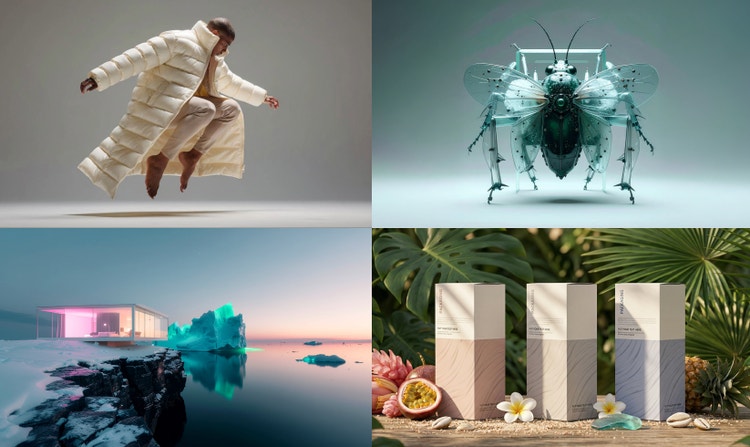
Get polished results in moments with the AI photo editor in Adobe Firefly, then take your photos even further with Firefly's AI image editor capabilities. Tools like Image-to-Image and Scene-to-Image help you reimagine composition, lighting, and mood — perfect for exploring creative directions or refining a final look. Use Generative Match to align colors and tones with reference images, ensuring photo consistency across a series or campaign.
AI photo editing tools for creators, marketers, and everyday users.
From social posts to product shots, Adobe Firefly AI image editor capabilities adapt to your creative goals. Professionals can refine campaign visuals, retouch portraits, or build marketing assets at scale, while beginners can easily remove distractions, swap backgrounds or color-match scenes with intuitive controls. Whether you’re designing branded content, editing client photos, or preserving personal travel memories, Firefly combines precision with simplicity in one powerful AI image editor.
Why use Firefly for AI photo editing?
Firefly gives you powerful, intuitive AI photo editing with the confidence of commercially safe results and the flexibility to choose the model that fits your creative style.
- Professional-grade results. Adobe Firefly combines creative expertise with advanced generative AI to deliver stunning, high-quality images you can trust for personal and commercial projects.
- Smarter creative workflow. Use natural-language prompts to enhance photos, remove distractions, or generate entirely new visuals in just a few clicks.
- Flexible AI models. Choose between Firefly models for commercially safe, brand-ready results trained on licensed Adobe and public domain content, or explore partner models from Google, OpenAI, Runway, and more for faster style experimentation.
- Creative control made simple. Fine-tune your image from lighting and composition to tone and texture with Prompt to Edit, Generative Fill, Generative Recolor, Replace Background, and one-click Quick Actions like crop or resize for instant polish.
Creating and refining visuals in Adobe Firefly is as simple as describing what you imagine. From marketing assets and product shots to social content and artistic compositions, Firefly gives you the power to experiment, refine, and produce professional-quality images all in one smart AI photo editor online free.
AI photo editing use cases and examples.
The AI photo editor in Adobe Firefly simplifies editing tasks for creators, marketers, and everyday users alike. Whether you’re refining personal photos or producing visuals for your brand, Firefly delivers quick, professional results that save time without sacrificing creativity.
- Perfect travel photos. Remove unwanted distractions, like passersby or power lines, and enhance lighting or color for share-worthy vacation images.
- Enhance ecommerce visuals. Clean up product photos, adjust backgrounds, or apply style transfers to maintain consistent brand aesthetics across your online store.
- Create engaging social content. Use Prompt to Edit, Generative Fill, and Generative Recolor to build custom, branded visuals for social media in minutes.
- Enhance professional workflows. Quickly iterate on ad concepts, marketing materials, or editorial imagery — perfect for agencies and creative teams collaborating across Mac, Windows, and mobile devices.
From quick touch-ups to complete transformations, Firefly AI adapts to every creative scenario so you can bring your vision to life faster.
How to use Prompt to Edit in Firefly for AI photo editor capabilities.
- Open Firefly to access quick actions and features to edit photos with AI.
To get started, log in to Adobe Firefly with your Adobe ID or create a free account if you don’t have one. Browse features and quick actions to edit your photo or open the Prompt to Edit feature directly in Firefly. - Upload a photo and write a text prompt.
Type a clear description of what you’d like to change directly into the prompt field. Start with at least five words for the best results, for example, “remove the power lines from the sky” or “add warm sunlight and a soft glow.” You can include specific keywords like “vintage look,” “realistic lighting,” or “studio background” to guide the Firefly AI photo editor toward your desired style. - Edit your AI photo.
Click Generate and wait as Firefly edits your image in seconds. - Refine, edit, regenerate.
Refine your image by tweaking the prompt or adjusting the settings for a fresh result. - Take your edited photo further.
Use one of the additional AI photo editor features in Firefly to expand your creativity. If you’re aiming for a specific style or layout, upload a reference image or sketch to generate a new set of visuals that match your vision.
Use Image-to-Image to reimagine your photo in different moods or artistic styles, or try Generative Match to align your edits with a particular color palette or design aesthetic. Firefly makes it easy to keep exploring, so every iteration gets you closer to your perfect result. - Download and share your edited photos.
Once you’re satisfied with your creation, you can download it, copy it to your clipboard, or share it directly with others. Turn your AI-edited photo into eye-catching social posts, videos, flyers, and more.
Discover even more features.
FAQs about Firefly AI photo editor.
Adobe Firefly works seamlessly across devices, so you can create and edit on desktop, mobile, or tablet, whether you’re using Mac, Windows, iOS, or Android. Start refining images on your laptop, then switch to your phone or tablet to keep editing on the go.
Projects sync automatically through Creative Cloud, making it easy to collaborate with teammates or clients and maintain a consistent workflow across platforms. Firefly also supports style transfers and other creative effects, so you can match looks or themes between devices without losing quality or context.
With Adobe Firefly, you can:
- Use Prompt to Edit to add, remove, or replace objects and backgrounds.
- Clean up images with Generative Fill to remove unwanted elements.
- Transform photos into new styles or moods using image-to-image editing.
The AI photo editor gives you flexible tools to enhance, reimagine, and perfect any image.