
AI music video generator in your pocket.

Turn ideas into motion with the AI music video generator from Adobe Firefly on web or mobile. Anyone can generate and edit video visuals, soundtracks, and effects — whether you’re a musician, content creator, or visual artist. Create AI music videos on the fly and bring your sound and story together anytime inspiration strikes.

Create AI music videos from text, fast.

Describe your creative vision, and Adobe Firefly can help bring your music video to life in minutes. With the AI music video generator online, you can turn any idea from “a neon city at night pulsing to electronic beats” to “a painterly dreamscape in sync with a soft piano melody” into dynamic video scenes. The AI video generator in Firefly can produce 5 or 8 second video clips ranging from realistic performances to surreal, abstract motion, giving you endless ways to match visuals to your sound.
https://main--cc--adobecom.aem.page/cc-shared/assets/firefly/video/music-video/media_1c6f840a38ffab22b006bf57ca4f34b23e5876018.mp4#_autoplay&mute=true | An AI-generated image of a cityscape at night. Skyscrapers flank a central motorway filled with the blur of moving headlights, and each building glows with lit windows and neon.
https://main--cc--adobecom.aem.page/cc-shared/assets/firefly/video/music-video/media_131336a79dc74953aed23716c718b451efa3cf499.mp4#_autoplay&mute=true | An AI image of a smiling young man in a white t-shirt and black leather motorcycle jacket. He has curly hair and a mustache, and is standing in front of an outdoor gathering with people in the distance.

Control angles & lighting with precision.

With Adobe Firefly, anyone can experiment with camera angles, motion, and lighting to direct and shape their story. Try a dramatic close-up, a sweeping wide shot, or a smooth pan across the scene. Adjust the atmosphere with soft cinematic light, glowing neon, or bold studio backlight. The AI video generator gives you intuitive controls to explore creative possibilities — no video production experience required.

Edit AI videos fast.

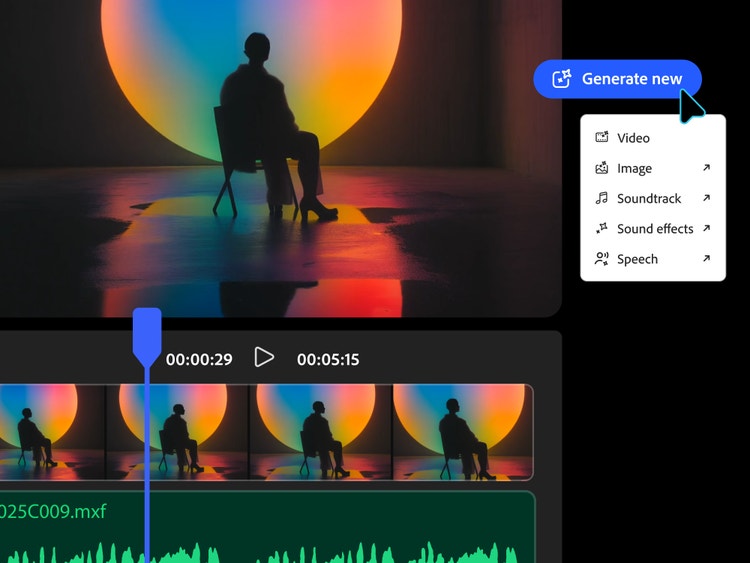
Once your scenes are generated, Adobe Firefly makes fine-tuning simple with the AI video editor. Adjust shot angles, camera motion, and lighting, all in one workspace so every moment feels perfectly timed and visually cohesive. The AI music video generator lets you experiment, refine, and remix ideas fast, without endless render times or complex software. Edit quickly, iterate in real time, and focus more on your creative flow.

An image of a figure in a chair silhouetted before a circle of blue-and-orange light. UI is to the right and below the figure. The UI on the right shows "Generate new" with options for video, image, sound effects, and speech. The UI below shows the timeline of a video editing app.
https://main--cc--adobecom.aem.page/cc-shared/assets/firefly/video/music-video/media_1248d717195added328ed0c67442f96f498d7882c.mp4#_autoplay&mute=true | A still from a video of a woman playing a violin. The prompt text reads: "An intimate, cinematic close-up of a violinist practicing in a softly lit room, with shallow depth of field and smooth bow movement." Will complete PM review today as well and comment once done.

AI music video tools for any creator.

Whether you’re a solo artist with a vision or part of a production team, Adobe Firefly makes it easy to create short samples of AI music videos that capture your creative concept. Intuitive tools in Firefly help you generate scenes, test ideas, and refine visuals quickly without breaking your creative flow.

Firefly can help:

  • Musicians and producers visualize new tracks or album concepts.
  • Content creators design looping visuals for social media, streaming platforms, or livestreams.
  • Advertising teams test campaign ideas with fast, on-brand motion.
  • Filmmakers and animators explore concepts or pre-visualize scenes.
  • Educators and students learn storytelling, rhythm, and visual composition interactively.

Spark new AI music video ideas with Firefly.

With Adobe Firefly, anyone can bring a music video concept to life when inspiration hits. Start by visualizing your ideas with the Firefly storyboard generator or spark ideas using the mood board maker to shape your video’s tone and color palette. Then build out scenes, add AI-generated sound effects or music, and refine everything directly in your browser. Connected Adobe tools make it simple to plan, produce, and polish your video without extra software or a steep learning curve.

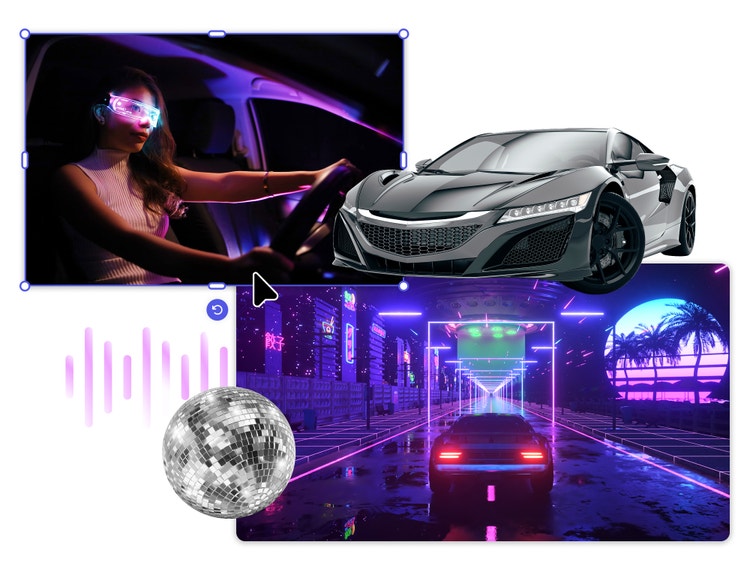
A collage of several images. In the top left is a woman driving a car. She wears a futuristic visor with visible lit circuits. A gray sports car sits to the left. Below that is an image of a car from behind driving in the middle of a road. The environment recalls 1980s-informed retro wave design, with deep blues and purples, punctuated by vibrant bright pink.

AI music video generator FAQs.

#F8F8F8

Learn more about generative AI.

Generative AI vs. other types of AI.

Discover the different types of artificial intelligence (AI), how they compare to generative AI, and how Adobe uses generative AI in Adobe Creative Cloud apps.


Learn more | Learn more - Generative AI vs. other types of AI

Generative AI is changing creative work.

Generative AI can mimic — but not replace — human intelligence. Learn how it can help you take your creativity to new places.


Learn more | Learn more - Generative AI is changing creative work

Adobe Firefly vs. Midjourney: How Firefly can help speed up creative workflows.

Learn how the latest in generative AI will help you visualize any idea with AI creations.


Learn more | Learn more - Adobe Firefly vs. Midjourney: How Firefly can help speed up creative workflows

Adobe Firefly vs. Stable Diffusion: Bring more ideas into your workflows quickly with Firefly.

Explore how creative dreams and experiments can become AI creations.


Learn more | Learn more - Adobe Firefly vs. Stable Diffusion: Bring more ideas into your workflows quickly with Firefly