



Fun and original sticker ideas you can add to your designs.
Design standout stickers for every occasion.
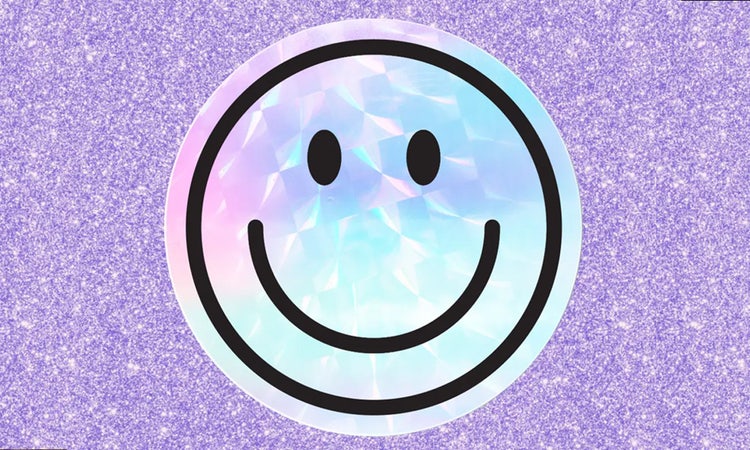




Stickers are a versatile and creative way to add personality to products, packaging, gifts, and everyday projects. Whether you're designing custom labels, event giveaways, decorative accents, or personal keepsakes, stickers offer a simple way to express your style and make a lasting impression. With endless possibilities for colours, shapes, and designs, they can be tailored to suit almost any occasion.
Why stickers are great for branding and gifts.
For businesses, stickers are a cost-effective way to strengthen brand recognition, elevate packaging, and create a more memorable customer experience. For personal projects and gift giving, they add a thoughtful finishing touch, from name labels and thank-you seals to themed designs for special occasions. With Adobe Express, you can easily create custom stickers that feel professional, personal, and uniquely suited to your brand, event, or gift.
Creative sticker ideas for personal and business use.
There’s no shortage of ideas when it comes to stickers, but it helps to start with your purpose. For businesses, you might want logo stickers, “thank you” tags for packaging, or QR code labels for events. You can even create stickers for in-store use, like price tags or promotional messages. If you’re running pop-ups, craft fairs or markets, stickers can double as both decoration and functional signage. Add seasonal options like festive or sale-themed designs to keep your brand fresh. Explore these sticker templates for more inspiration.
For personal use, stickers can be just as impactful. Think planner stickers for to-do lists, habit trackers or reminders. You could create birthday party packs with themed stickers, custom stickers for laptops or water bottles, kids’ name labels and even wedding favour stickers. If you’re organising events or sending out snail mail, a small personalised sticker can leave a big impression. With Adobe Express, you can mix and match templates, adjust colour palettes and explore different styles to suit any need.

How to use stickers for teaching and studying.
Stickers can be a helpful and motivating tool in classrooms or study routines. From visual cues to fun rewards, they bring a hands-on element that works across all ages.
Here’s how to use stickers in the classroom:
However your teaching style, there are plenty of ways to incorporate stickers into your classroom, from learning activities to awards ceremonies.
How to make the most of these sticker ideas.
1. Find your favourite.
Choose your favourite idea from our list or pick a few if it's hard to decide.2. Start exploring.
Open Adobe Express and start exploring. Go straight to templates if you know what you want to make. Otherwise simply browse for inspiration and start a new project.3. Experiment and have fun.
Play with the colour themes, fonts, graphics and images. Upload your own photos or use some of ours – the choice is yours.4. Bring your sticker idea to life.
Add a personal touch to make the design your own. Try a photo filter or an image crop; add animation or a soundtrack – the possibilities are endless.5. Save and share.
Download your files for printing or share to your socials directly from the app.
Unique sticker shapes and finishes to try out.
Round and square stickers are popular choices, but there’s a world of shapes and finishes to explore. Heart-shaped stickers can be great for weddings or Valentine’s promotions. Stars or speech bubbles add energy to social campaigns or event packs. Custom-cut shapes, like your brand mascot or initials, help you stand out in crowded spaces. The shape of a sticker can say as much as the words on it, especially when it’s part of your wider brand identity. Create your own sticker from scratch or craft custom stamp logos in your brand style. Finish options also add character. Glossy finishes give a bold, high-shine effect, perfect for colourful, graphic-heavy designs. Matte finishes feel premium and understated. Transparent backgrounds let your stickers blend into any surface, while metallic foils can add a luxe edge to wedding, Christmas or limited-edition runs.
To make your sticker designs even better, consider incorporating trendy aesthetic styles that resonate with your target audience. For example, picking sticker shapes that pair with playful colour palettes inspired by Y2K or kidcore can make your stickers feel nostalgic and vibrant, while softer tones from dreamcore or goblincore add a whimsical or earthy touch. Matching your sticker shapes and finishes to these styles, such as using pastel matte finishes for a dreamy vibe or bold metallic foils for a futuristic look, can create a cohesive and eye-catching collection. Experimenting with these aesthetics will enhance the visual appeal of your stickers and help your content connect emotionally with specific communities and trends. Adobe Express lets you preview your designs clearly, so you can experiment with colours and shapes before going to print. Discover different sticker types to spark creativity and learn how to make animated stickers.
Tips for choosing the right sticker for your project.
The right sticker comes down to context. Ask yourself: what’s the sticker for, and where will it be used? If it’s for packaging or labelling, like jar labels, make sure your design fits the surface and reinforces your branding. If it’s a giveaway or freebie, you might want something fun, reusable or decorative. Event-based stickers can benefit from themed elements like colours, icons, or relevant messages, while planners and classroom tools should prioritise clarity and usability.
Think about size and visibility too. A very small sticker may not suit a detailed design. Large stickers can make great labels or even act as mini posters that have QR codes, attracting attention and encouraging people to interact with what they see. Consider how your colours will look in print and whether a glossy or matte finish will suit your overall aesthetic. If your stickers are for a digital project, like a digital scrapbook, explore GIFs and meme designs that you can transform into digital stickers. With Adobe Express, you can explore a wide range of templates to guide your choice. Test different combinations of colours, fonts and shapes to find the one that brings your sticker ideas to life and fits your project’s goals.
How Adobe Express can help you.
Stickers are all about personal touch. Adobe Express has free templates for custom stickers that help you stay on brand or create something fun from scratch. You can tweak fonts, change colours and adjust shapes to match your message or explore hundreds of ready-made options. Get creative and design your own digital or printed stickers with ease.


