84 Friend captions that celebrate every kind of bond.
Got a favorite photo with your bestie but can’t seem to find the perfect caption? These friend captions can turn your post into one that instantly brightens their day.
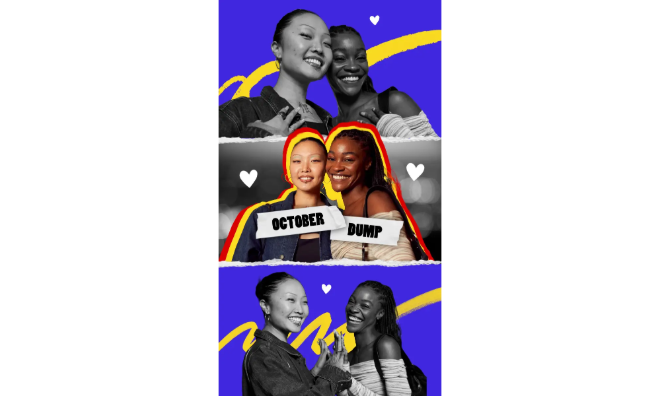




Find the best friend captions to share your story.
The right friend captions showcase the special connection you share. Whether it’s a silly inside joke or a heartfelt message, a thoughtful caption makes your post feel authentic and memorable.
Beyond social media, these friend captions can power creative projects like birthday cards, collages, or custom wall art. This collection features fresh captions and practical writing and design tips so you can turn your picks into scroll-stopping, heartwarming creations.
Ready to get started? Check out these friend captions and add them to your creative projects with Adobe Express.
Friend captions that spark memories and smiles.
What’s the difference between a “good enough” caption and one that makes your friends actually stop scrolling? It’s all about personal touch. Generic quotes are fine, but friend captions that recall real moments like late-night food runs or inside jokes feel instantly more genuine.
Here’s a quick trick to help you write better friend captions: Write down a memory in one line, then tie it to a feeling in the next. Example: “Remember when I almost quit pursuing my art school dreams and you were the only one who didn’t give up on me? You’re my person. Always.”
With Adobe Express, you can turn that thought into something visual. For instance, pair your caption with a candid photo in a pre-made Instagram Story template, swap the background for a textured overlay using the poster maker or banner maker, and drop your text in a playful script font. Now your post does double duty: making your friend feel seen while also standing out in a busy feed.
recipe
Best friend captions that are simple yet meaningful for your bestie.
Your best friend deserves more than just a heart emoji in the comments. After all, they’re the one who knows your coffee order, your worst haircut stories, and your exact brand of weird. When writing best friend captions, think specifics. For example, think about a tiny detail that only you two share, like a spontaneous trip or a joke made in 9th grade.
Want to level up your friend captions? Use Adobe Express to build a best friend highlight cover.
Open the card maker, or try the free Instagram story highlight cover creator. Pick an icon like pizza or coffee. Whatever fits your friendship vibe. Then, add your caption text around it in a circular layout. To switch up the text layout, select the text you want to modify. Under the Text menu, select the Edit tab and click Text layouts. Choose from the following options: Dynamic, Circle, Arch, or Bow.
Once done, click Download and use your work as your Highlight cover. Now your captions live as part of your Instagram profile design. The best part is that you and your bestie will both smile every time you tap it.
recipe
Friend captions for Instagram that pop on social.
Friend captions for Instagram work best when they mirror the platform’s visual punch: short, catchy, and easy to skim. Instead of lengthy musings (although you can do those too), try rhythm and repetition like “You + me = pure magic” or “We’re loud, we’re proud, we’re perfect together.” You can also play with emojis for emphasis.
One way to stand out is to sync your caption with your text design in the post itself. Open the flyer maker or letter maker, pick a square Instagram template, drop in your photo, then add your friend caption in bold text across the image. Use the Animation feature to make the words flicker, tumble, or fade as part of a Reel or Story. This way, even if someone scrolls by with the sound off, your caption still catches their eye.
recipe
Cute friend captions you’ll want to use time and again.
Some friendships are all about tender moments, heartwarming memories, and the kind of sweetness that deserves its own spotlight. Cute friend captions are perfect for capturing those cozy friendship vibes.
Bring them to life with the card maker. Imagine a pastel-toned digital card sprinkled with animated hearts, where your caption becomes the star. You can even craft a letter template with your caption, turning a few words into a keepsake note your friend will treasure forever. Or share it with your followers as downloadable content.
Try layering watercolor textures or adding soft photo filters to your designs for an extra gentle feel. A photo collage filled with candid moments also pairs beautifully with cute friend captions, giving your project a charming, storybook-like charm. Now you’ve got a shareable graphic that feels like a digital scrapbook page that’s cute but not over the top. It works perfectly for Instagram, but you could also print it as a postcard or mini gift tag to surprise your friend IRL.
recipe
Funny friend captions to showcase humor that fits your vibe.
Ah, the inside jokes and all the random adventures that no one else would understand. Funny friend captions let your personality shine brightest.
Use the flyer maker to create parody posters that look like comedy show promos starring you and your crew. Or turn your caption into a bold meme-style design with the poster maker, complete with exaggerated fonts and funny clip art.
For group selfies, the photo collage maker lets you add speech bubbles or stickers to match the humor in your caption. Think oversized sunglasses on your bestie or neon arrows pointing at inside jokes.
To make a meme-style post, pick a meme template and place your funny captions at the top in bold font. Throw in a hilarious photo or doodle. Add a punchline at the bottom if you want the two-line meme effect typical of memes in the 2010s.
How to create scroll-stopping friend captions.

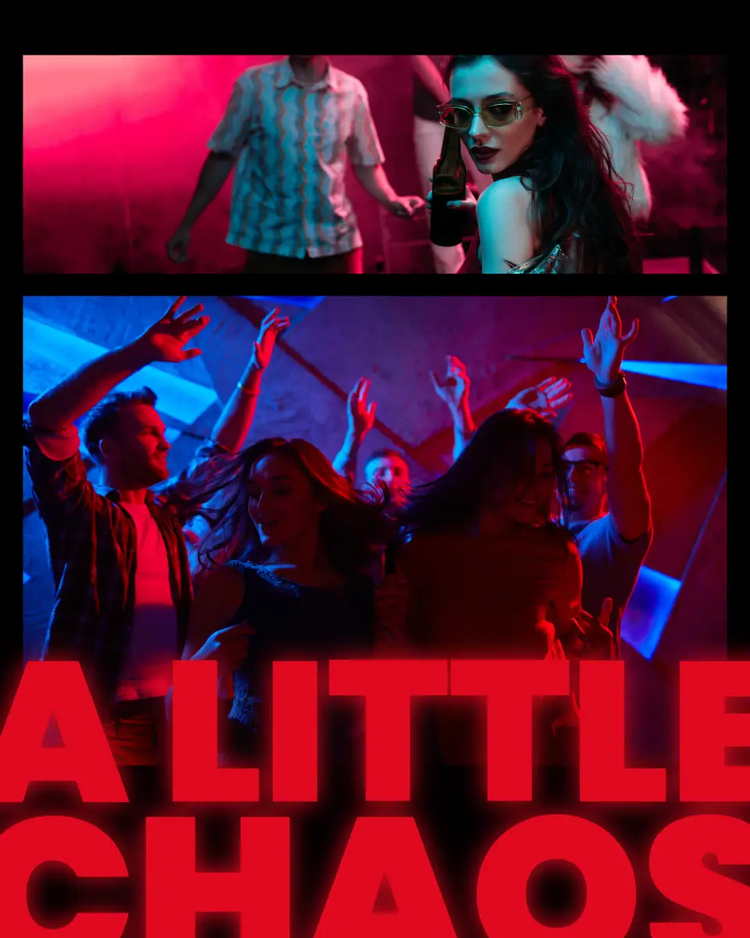
Birthday post captions for a friend that go beyond “HBD.”
Tired of posting the same “Happy birthday bestie!!!” caption every year? We’ve got you covered with these fresh birthday post captions for a friend.
The best part? You can take these even further and it doesn’t take much effort with the help of Adobe Express. It’s as simple as opening the card maker and choosing a birthday template. From there, replace the stock text with your birthday post caption for your friend. Add confetti or stickers and use animation to make your design more engaging. Share your work digitally as part of your post, or print it for an IRL birthday card. This way, your caption becomes both a celebration and a thoughtful gift.
Friend group captions for your squad’s story.
Every squad has a unique vibe, and your captions should capture that energy. Friend group captions are about unity and all the wild adventures that make your crew legendary.
With Adobe Express, you can design projects that show off your group’s personality, all in just a few clicks. Use the photo collage maker to combine everyone’s best shots, then weave your caption across the layout like a rallying cry. Or try the poster maker to create a cinematic movie poster-style design starring your group.
Want something more interactive? Create a flyer or digital banner for your next group outing and use your friend caption as the headline. Mix typefaces, add group emojis, and choose color palettes that reflect your squad’s energy.
How do I write better friend captions?
Coming up with a good caption can be such a struggle sometimes. These tips will help you get started:
- Mine your memories. Instead of generic compliments, pick a funny or touching moment, or use your real-life conversations as inspiration, and boil it down to one punchy line.
- Embrace humor. What’s a good friendship without a healthy dose of humor and laughter? Funny friend captions work best when they’re personal, not recycled one-liners. Try exaggerating everyday quirks like "We’re basically a sitcom waiting to happen." For extra punch, turn the caption into a meme-style post.
- Leverage uniqueness. What makes your friendship unique? If you have a friend group, what’s one thing that brings all of you together? Use these points as a jumping-off point for your friend caption.
- Use emojis sparingly. Emojis are great if you want to add visual hints, but don’t go overboard with using them in your friend captions. Instead, try to let your words carry the weight.
- Work in pairs. Brainstorm with your friend for captions that showcase your shared humor. Adobe Express simplifies collaborations by letting you and your friend work on any project in real time. To edit your project together, click Share and add your friend’s email to invite them. Check out this Adobe Express guide to learn more about collaborations.
What’s the best way to design friend captions and make them stand out?
Want to start your design from scratch or looking for ways to make a template stand out? Try these tips:
- Apply design elements. These make your captions visually appealing. For example, use size strategically to highlight important parts of your caption or apply contrast to help your audience focus on the main message.
- Be intentional with your font pairings. The right combination can make your friend captions more impactful. When mixing fonts, choose ones that best reflect you or your friend’s personality. Limit your options to a maximum of three to avoid overwhelming your design and keep it consistent.
- Experiment with shapes. Don’t just drop captions under photos. Place them inside circles or Polaroid-style frames to make them pop.
- Add doodles. Doodles are fun to make and they’re a quick way to add a personal touch to any project. Overlay hand-drawn stars or borders around your caption to give it a playful vibe.
What are some unique uses for friend captions?
Yes, these friend captions are designed for social media, but did you know that you can also use them for other digital or IRL creative projects? Here are some ideas to inspire you:
- Event signage. Add these captions to place cards at events like birthdays or reunions.
- DIY puzzles. Turn a caption and photo combo into a custom puzzle gift for your bestie.
- Custom playlists. Use a caption as the playlist name and design the cover art in Adobe Express using the card maker or poster maker.
- Journaling prompts. Drop your favorite friend captions into a friendship journal and expand them into longer stories.
- Presentations. Add friend captions to presentations to help break the ice and keep participants engaged.
Friend captions that celebrate and strengthen your bond. Made even more special with Adobe Express.
At the end of the day, friend captions are tools for capturing little slices of joy and turning them into something worth remembering. Whether you’re writing them for social or printing them onto keepsakes, these captions let you showcase your friendship in a fresh yet authentic way.
Ready to try it yourself? Open Adobe Express and transform one of your favorite friend captions into an extra special tribute to your bestie.