



Make standout promotional videos with Adobe Express.
Promo videos are one of the most effective ways to expand your online reach and attract potential customers to your brand, business, or product. Adobe Express helps you do all that and more: edit footage, split scenes, and rearrange clips with beginner-friendly editing tools. Drag-and-drop icons and images and add animated transition effects to make your visual message pop. Add your brand logo, color schemes, and fonts to stay #onbrand. You can even invite members from your marketing team to co-edit the same project, too.


How to create a promo video.

Resize, review, & share.
Send out an editable share link to review your promo video with team members. Remember to resize your video to fit the ratio of your favorite channels. Then, download your high-quality MP4 to share on your website, blog, marketing emails, and socials.
Apply animation & music.
Bring your video project to life with a show-stopping Adobe Stock soundtrack and animated text and graphics. Use the Adjustments tab to add contrast to your footage or brighten up your clips.
Enhance with text & graphics.
It’s time to remix your promo video template -- modify your new promo video with tons of design assets readily available at your fingertips. Drag and drop icons, graphics, and your brand logo to your project. If there’s narration in your video, consider adding subtitles using a handpicked Adobe Font that suits your video’s content so viewers can follow along. Don’t forget to include your company’s tagline, too.
Choose a promo video template.
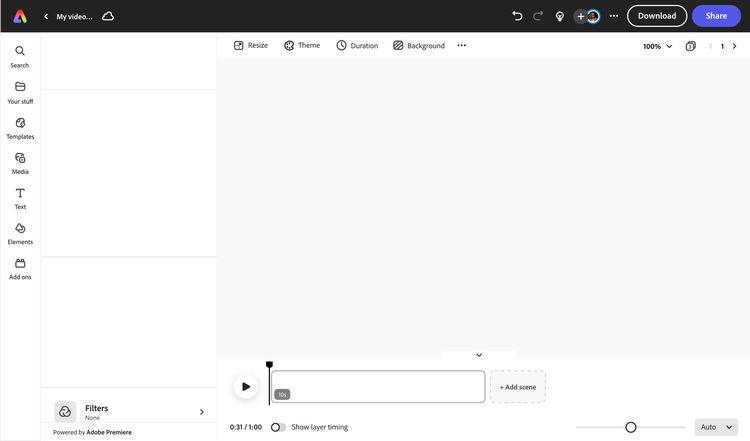
Type in “promo video,” or “holiday sale” in the search menu and find a wide collection of free promo video templates you can choose and start customizing. You can also search by the kind of promo video you plan to make like a campaign or ad. Once you’ve settled on a template that best represents the vision you’re going for, cut, trim, split, speed up or slow down your video footage until you’re satisfied.
Launch Adobe Express.
Open Adobe Express on your web browser. Upload your own video clips to get started or select the kind of video you want to create in Adobe Express.

Crop, split, and trim.
Remove unnecessary footage, split scenes, & stitch together footage in minutes.
Resize videos in a snap.
Create a promo video once, then resize in a snap to share across socials.

Apply animated effects.
Select any element in your video to animate in just a few clicks.

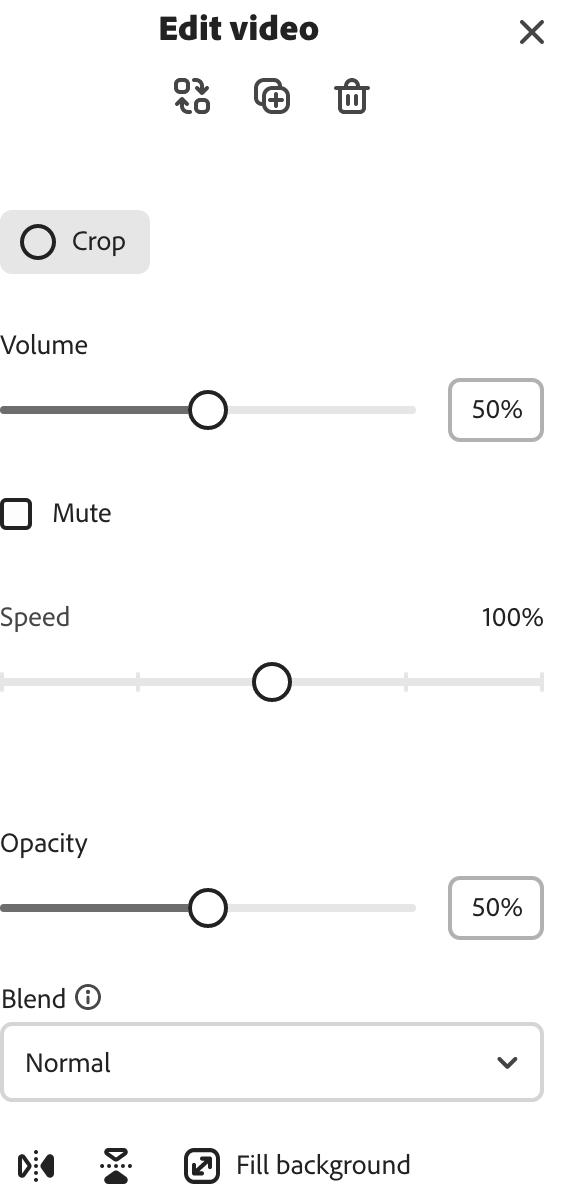
Control video speed.
Slow down or speed up scenes in seconds.
Add collaborators.
Invite your team to edit, leave comments, and view your project in real-time.
Download & share anywhere.
Download your video as an MP4 and share to your favorite digital destinations.

Schedule content.
Plan and publish promo videos, posts, & more with the Adobe Express Content Scheduler.

Enhance with filter options.
Apply filter presets like Duotone or enhance videos with the Adjustments menu.
Engage viewers with promotional videos made from your browser.
An all-in-one content creation app.
Create promo videos, explainer videos, ads, campaigns, & so much more in Adobe Express.
Thousands of Adobe Stock design assets at your side.
Customize your videos with trendy, royalty-free stock soundtracks, video, images, graphics, & fonts.
Free promo video templates.
Start from scratch or personalize promo templates with your own media, logos, & more.
Hook your audience with attention-grabbing promotional content.
Create the perfect promo video for any product, season, or sale in minutes with free, professionally-made video templates by your side. Adobe Express is easy to use and has everything you need to captivate your audience, from an impressive collection of colorful graphics, icons, and curated fonts you can drag and drop into your project. Discover what you can make today.


Tons of time-saving video templates at your fingertips.
Save time and edit your promo videos without worrying about presentation. Adobe Express has tons of free, scroll-stopping video templates at your fingertips to fast-track your promo video editing. Upload your media, then crop, split, and edit your way. Cut down minutes to seconds to keep your audience enticed, then customize your content further by adding color schemes, brand assets, and animated icons for a memorable viewing experience. No experience required.
Frequently asked questions.
Why are promo videos important?
Videos are a great way to inform and entertain your audience. So, if you’re planning to launch a campaign or want to showcase a new product, promo videos are an enticing way to reach – and persuade the right viewers into action.
Where should I be posting my promo videos?
You should post your promo videos to your social channels to get the most reach and engagement with your brand or business. You can also share them via email blasts or showcase your promotional video at events, too.
How do I add music to my promo video?
To add music to your promo video, select Media at the left of the online editor, then click on the Audio tab. Hit “Upload from device” to upload your own music from your computer or browse our wide collection of royalty-free Adobe Stock soundtracks to add to your video project.
Can I make more than one promo video with Adobe Express?
There’s no limit to how many videos you can make in Adobe Express. The creative process is in your hands, so feel free to experiment with as many video editing styles, templates, and customization options as you’d like.
I’m a beginner at video editing, are prior design or video editing skills required to use Adobe Express?
No prior video editing or creating skills are necessary. When making videos in Adobe Express, all skill levels are welcome and encouraged to kickstart their creativity with ready-made video templates, graphics, stock music, photos, and videos to choose from. Discover how easy it is to make professional-looking promo videos, explainer videos, ads, campaigns and more in minutes with Adobe Express on your side.

