



Free clip maker for YouTube.
Engage your audience with short video clips for YouTube made in Adobe Express. Enjoy fast and easy video production with customizable templates. Or upload your video and watch as the Clip Maker turns it into captivating short clips, perfect for sharing.
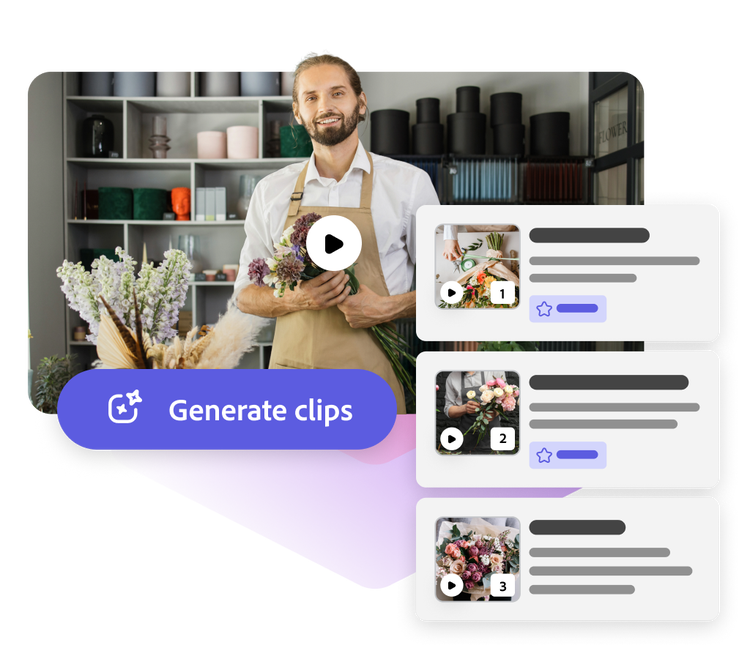
1. Import.
Upload a video that’s at least 1 minute long to the Clip Maker and watch as it splices your footage into bite-sized clips that capture the most compelling moments. If you prefer to edit your YouTube clip from scratch, start from an array of templates then upload your video.
2. Enhance.
Apply AI-generated captions and customize your new clip by adding branding, animations, and more. Wrap it up by adding one of our royalty-free soundtracks directly in Adobe Express.
3. Share.
Preview how your YouTube clip content looks before publishing. Post your social-first video on other social platforms to ensure your message reaches your audience when they're most active, maximizing engagement and impact.
Make YouTube clips with easy-to-use video editing tools.

Turn long videos into clips.
Easily shorten long-form videos into a clip for your channel.
One-tap resize options.
Resize video clips into Instagram Reels, story highlights or a Facebook story to get more reach.

Get moving with animated effects.
Make any element in your design dynamic. Choose any icon, shape, text, or graphic to apply animated transition effects.

Switch up video speed instantly.
Tap on any video clip and use the sliding menu to slow scenes down or speed them up.
Work together.
Shoot and share feedback, edit, & view the same project in real-time with others whether you’re a minute or miles away.
Save videos & share online.
Create and share as many videos as you’d like.

Schedule your content.
Never miss a date when you plan & publish content using the Adobe Express Content Scheduler.

Enhance videos with one tap filter effects.
Brighten dark videos, sharpen blurry scenes, & add attention-grabbing filter effects.
Everything you need to create standout YouTube content.
One-stop shop for building your channel.
Create and edit all the visual assets you need for an on-brand YouTube channel, from banners, thumbnails, video clips, and more.
Thousands of stock videos, images, music, and other assets.
Combine your own video content with Adobe Stock royalty-free, high-quality stock videos, icons, images, gifs, soundtracks and more for a unique visual project.
Get ahead with ready-made, free video templates.
Fast-track content creation with free, fully customizable video templates at your side in Adobe Express.
Create any kind of video clip for YouTube, fast.
Whether it’s a funny meme video, recap montage, or a product release sneak peek, Adobe Express has everything you need to make an attention-grabbing YouTube clip. Speed up your editing for whatever niche you’re creating for with tons of free video templates to start with. Snag royalty-free stock videos, images, and soundtracks right in the editor if you find yourself short on media assets or personalize even further when you add your brand logo and colors. No experience required.

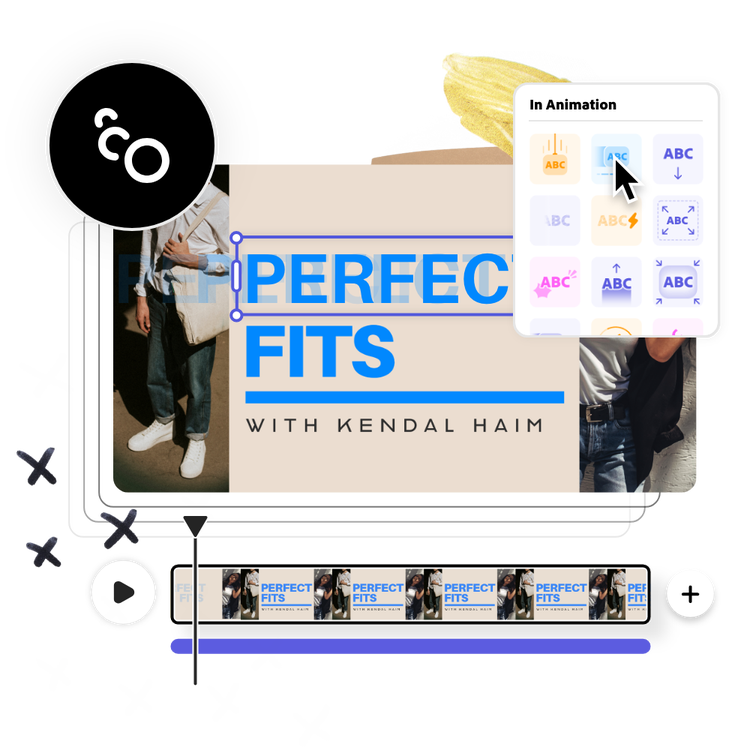
Own the attention with scroll-stopping animated effects.
Standout and keep your audience engaged when you animate elements in your video clip. It could be anything from a call to action that tumbles into the frame, to your brand logo that fades in at the very beginning.
Share your YouTube clip anywhere.
Get more eyes on your videos and drive traffic to your channel with engaging short YouTube clips. Now you can let Adobe Express turn any video more than a minute in length into shorter clips ready to share. Just upload your file into the Clip Maker and wait while the tool automatically segments the best clips for you. Premium users can also Resize short videos for other platforms like TikTok and Instagram with a single click. Adobe Express makes sharing video easy and fun.

Create YouTube clips in seconds with Adobe Express.
YouTube clips are a great way to showcase bite-sized versions of already existing content on your channel to boost engagement. Quickly and easily trim lengthy tutorials, explainer videos, and more into short clips under 90 seconds with the Adobe Express Clip Maker. Upload footage, add auto captioning, and trim all from this handy tool. Go to the full Adobe Express editor to add music, animation, or any other finishing touches. No video editing experience necessary.


Frequently asked questions.
How do I add music to my YouTube clips?
Select Media at the left of the online editor, then click the Audio tab. Add your own voiceover or browse through hundreds of free soundtracks available through Adobe Stock. If you have your own music to add, click Upload to input it into the editor.
How do I make a YouTube clip?
To make a video clip for YouTube, you can upload long-form video content you’ve already created for your channel to trim down, or launch the Clip Maker and let the tool splice the video into recommended shorts.
Why are video clips for YouTube important?
Think of YouTube clips as short trailers or sneak peeks of your video. It’s a great way to entice viewers to click on your content and watch it. Since many viewers don’t have much time to watch longer videos, your short clip can give them a better understanding of the kind of content you offer. In short, it helps build value for your brand or business in a shorter time frame while boosting engagement.
How do I save my YouTube video clip after I’m done making edits?
All video projects made in Adobe Express are automatically saved within your browser, so you don’t need to worry about taking up storage space on your device. You can also hit the Download button at the top right of your screen to save your video on your desktop to share online.
Can I get Adobe Express for free? If so, what’s included?
Yes, we have a free plan available for anyone. Enjoy everything you need to stand out, including thousands of templates, hundreds of Adobe Stock images, photo editing and effects, and much more. Visit our plans and pricing for details.

